
Animate a Manga Panel Into a Moving Anime Scene
Upload a manga panel, add a short motion prompt, and generate a video clip where the character moves while the original linework stays intact. No frame-by-frame drawing required. The right tool holds clean outlines and produces motion that respects your source art.
Why Manga Panels Work Well for AI Animation
Manga art has properties that AI video models handle with confidence. Strong ink outlines give the model clear edges to track. High contrast between black lines and white space removes ambiguity about what counts as "subject" and what counts as "background." A single character in a defined pose gives the model a stable anchor point.
These traits mean manga panels often produce better AI animation results than photographs or painterly illustrations, where edges blur and subjects blend into their surroundings.
How to Animate a Manga Panel Step by Step
- Pick a panel with a clear subject. Choose a frame with one character, strong outlines, and a pose that implies motion — a mid-swing, a coat caught by wind, a hand reaching forward. The composition should suggest where movement belongs.
- Upload the panel. Drop your JPG or PNG into DomoAI's Image to Video tool. Black-and-white ink art, flat-color webtoon panels, and cel-shaded illustrations all work.
- Write a focused motion prompt. Describe one or two movements only. Example: coat billowing in wind, hair shifting gently, sword hand tensing, subtle dust rising at feet. The narrower the prompt, the more stable the outlines stay across frames.
- Select Japanese anime style and the V2.4.1 Advanced model. This model keeps line work consistent while adding natural movement. It prevents ink outlines from drifting toward realism or flickering between frames.
- Generate and review. The clip renders in minutes. Check that the coat and hair move while the core pose holds. That selective motion is what makes the output read as anime rather than generic AI video.
- Upscale if needed. Run the clip through the Video Upscaler to boost resolution up to 4K before posting to YouTube, Instagram, or a portfolio reel.
What Makes a Good Source Panel
Not every manga panel animates well. The model needs specific visual information to decide what moves and what stays locked.
Panels that work best
- Clean ink lines with closed shapes
- A single character with visible limbs and clear silhouette
- Some empty space around the subject (white background or simple environment)
- A pose that implies a direction of motion — wind, gravity, tension
Panels to avoid
- Heavy screentone gradients. Dense dot patterns can confuse the model. Strip screentone or use a clean ink version before uploading.
- Extreme close-ups. If the subject bleeds off all four edges, the model lacks spatial context to decide what moves and what holds.
- Multiple overlapping characters. Isolate one subject per generation for the cleanest result. Animate each character separately and composite later if needed.
How to Write a Motion Prompt for Line Art
The prompt should describe motion only. Do not describe the image itself — the model already sees it. Restating visual details ("a samurai with a sword") wastes prompt space and can cause the model to reinterpret your art.
Good prompt structure
Describe the physical movement, the affected elements, and the atmosphere:
Coat billowing in wind, hair shifting gently, sword hand tensing, subtle dust rising at feet, dramatic atmosphere
Rules of thumb
- One or two movements. More than that gives the model reason to redraw your outlines.
- Use gentle verbs for subtle motion. "Shifting," "drifting," "tensing" produce less distortion than "whipping," "exploding," "slamming."
- Name the body parts that move. "Hair shifting" is better than "character moving." Specificity keeps the rest of the figure locked.
- Skip color descriptions for monochrome panels. If you want the output to stay black-and-white, describe only the motion. Adding color words tells the model to introduce color.
Sample Workflow: Samurai Mid-Draw Panel
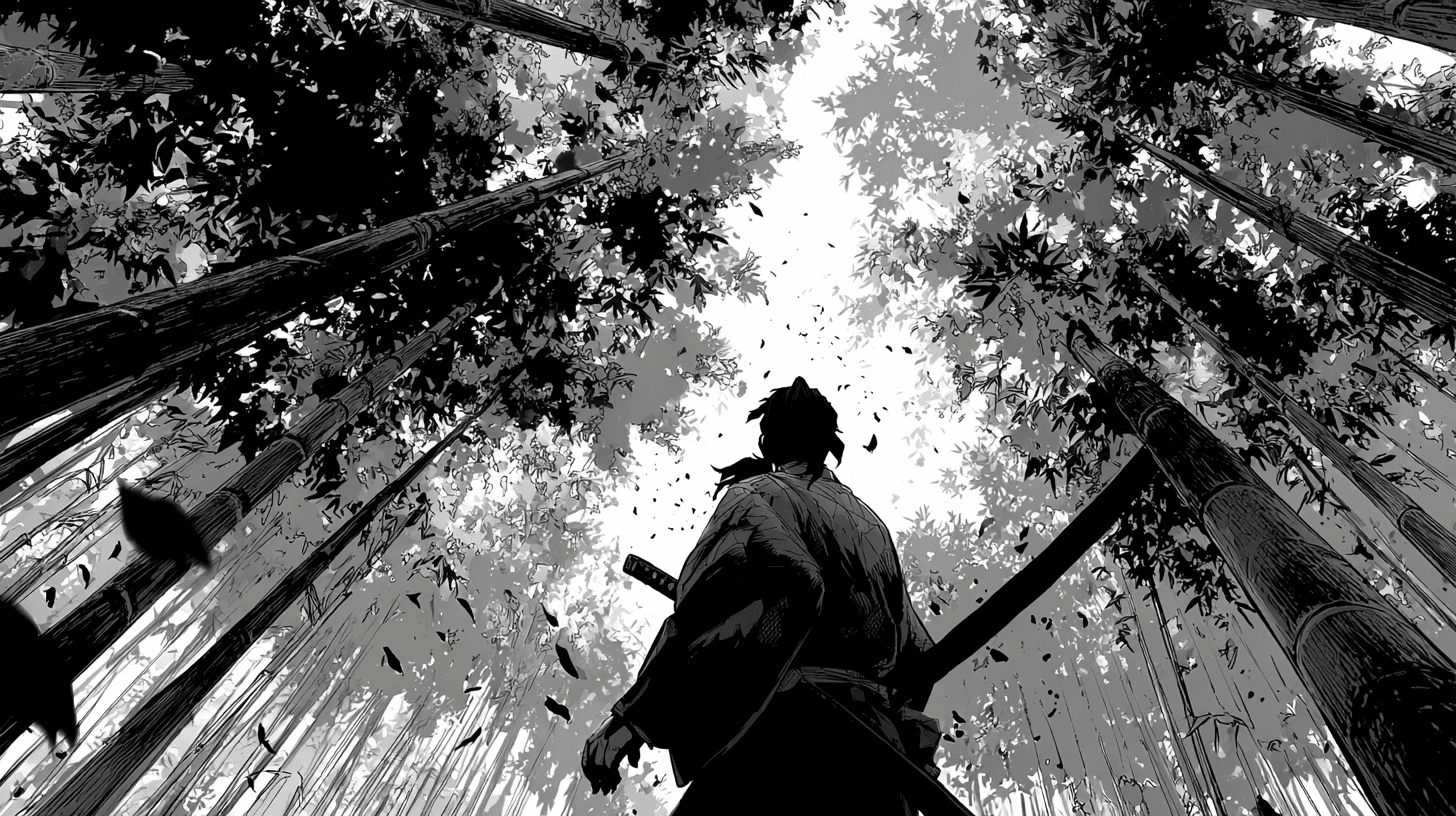
Source image: A black-and-white manga panel of a samurai in a sword-draw pose. Clean ink lines, white background, no color, no screentone.
Prompt used:
Samurai coat billowing in wind, hair shifting gently, sword hand tensing, subtle dust rising at feet, dramatic atmosphere, Japanese anime
What to check in the output:
- The black outlines of the coat, hair, and blade stay sharp and locked. No wobble, no blurring between frames.
- Motion is selective. The coat and hair move, but the character's core pose holds. This matches how real anime treats a dramatic still — limited, purposeful motion.
- The white background stays clean. No color bleed or texture artifacts creep into empty space.
- Secondary motion (dust, slight fabric flutter) adds life without overwhelming the composition.
Extending a Single Panel Into a Longer Sequence
A single panel generates a short clip — roughly 5 to 10 seconds. For a longer sequence, use DomoAI's Frames to Video feature. Upload 2 to 8 panels as keyframes and the AI generates smooth transitions between each one. This supports clips with multiple scenes or a multi-panel fight sequence that plays as continuous animation.
This approach works well for webtoon creators who already have a series of panels telling a story. Upload the key story beats as frames and let the model fill in the motion between them.
Frequently Asked Questions
Can I animate a black-and-white manga panel without adding color?
Yes. Upload a monochrome panel and describe only the motion in your prompt. The Japanese anime style in DomoAI's V2.4.1 model preserves the original look of your source image, including black-and-white linework. If you want color added, state it in the prompt. Otherwise the model respects what you upload.
How do I stop the outlines from flickering or getting distorted?
Keep your motion prompt simple. Describe one or two movements, not a full action sequence. Simpler prompts give the model less reason to redraw your outlines. If you see drift, reduce the implied motion intensity — use "gentle breeze" instead of "violent storm."
Does this work with colored manga or webtoon panels?
Yes. The Image to Video feature accepts full-color webtoon panels, cel-shaded illustrations, and grayscale art. Flat-color sources with clear outlines tend to produce the most stable animation because the model can distinguish subject edges cleanly.
How long of a clip can I get from a single panel?
A single panel generates up to 10 seconds per generation. For longer sequences, use DomoAI's Frames to Video feature — upload 2 to 8 panels as keyframes and the AI generates smooth motion between them.
Can I animate a rough pencil sketch, or does it need to be clean inked art?
Clean inked art with closed lines produces the best results. Rough pencil sketches can work, but open or faint lines may get reinterpreted by the model. If your sketch is loose, trace it with a darker pen tool or increase contrast before uploading.
Do I need to learn ControlNet or ComfyUI to animate manga panels?
No. Those tools require installing nodes, matching preprocessors to specific lineart models, debugging temporal consistency, and often manual frame-by-frame cleanup. DomoAI handles that pipeline in one upload — you choose a style, write a prompt, and generate. The tradeoff is less granular control over individual frames. The gain is a repeatable workflow that takes minutes instead of hours.
DomoAI vs. ControlNet + AnimateDiff for Manga Animation
The open-source approach to animating line art typically involves a ControlNet lineart preprocessor feeding into AnimateDiff, run through ComfyUI or Automatic1111. That stack gives frame-level control but demands node installation, model matching, VRAM management, and manual cleanup when outlines flicker between frames.
DomoAI compresses that pipeline into a single upload-and-prompt step. The V2.4.1 model was built to hold clean outlines across frames without drifting toward realism. You lose the ability to tweak individual frame weights or swap preprocessors. You gain a workflow that a manga artist can run in minutes with no technical setup — and consistent results on black-and-white ink art without post-processing.