
Animate Any Anime Girl Image Into a Looping Dance Video
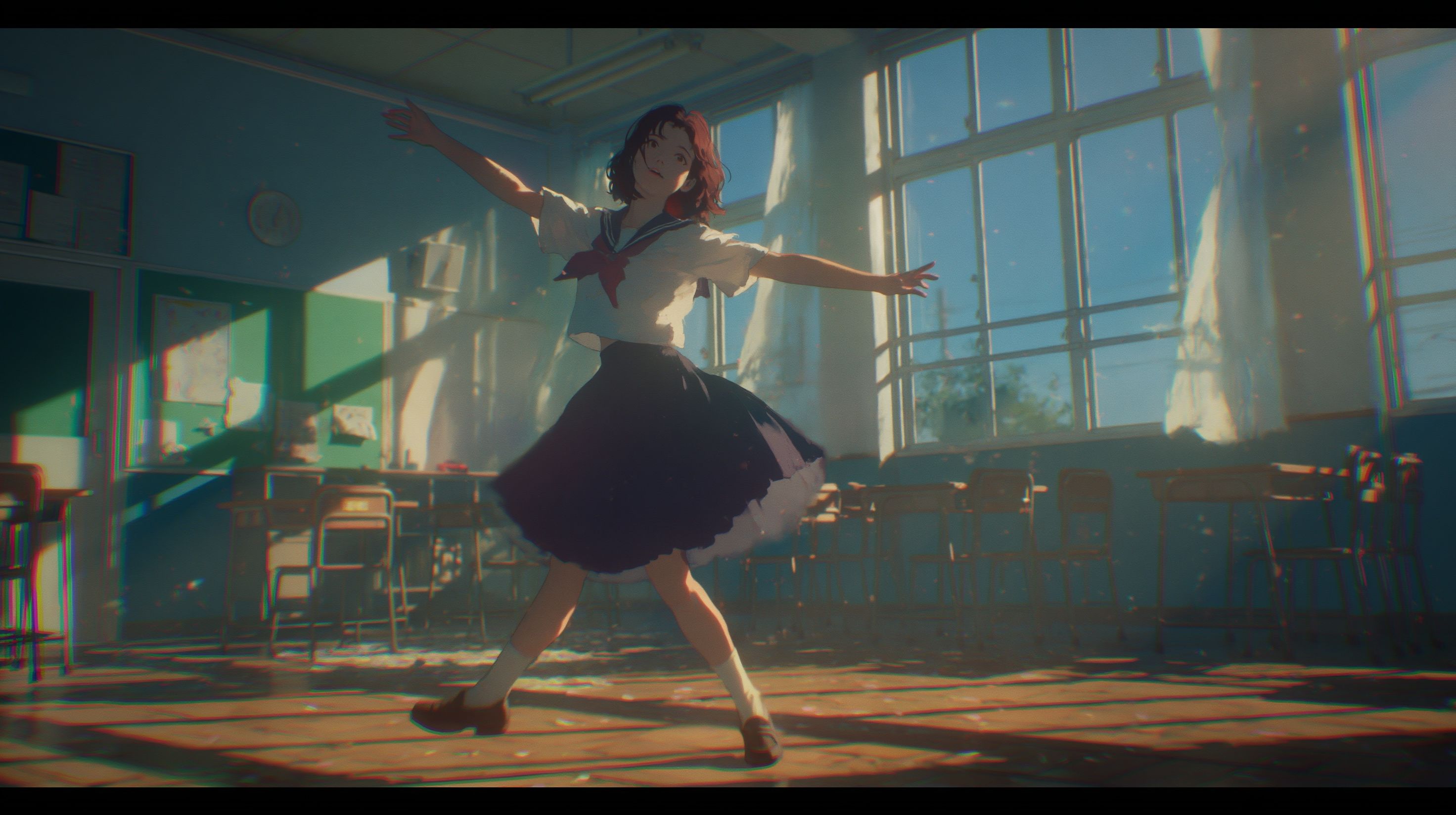
Upload your anime girl image and a looping dance reference video to an AI character animation tool. The AI maps the choreography onto your character while locking her face, hair, and outfit across every frame. Pick a reference clip where the start and end poses match, and the output loops with no flicker or morphing.
Why Anime Dance Videos Break (and How to Fix It)
Most AI animation tools redraw the character from scratch on every frame. That causes the "face changing every frame" problem — eye color shifts, hairstyle drifts, outfit details appear and disappear. The fix is character-locked animation: the AI uses your static image as a fixed identity reference, not a prompt it reinterprets each time.
Three things determine whether your output holds together:
- Character image quality — A full-body illustration with a clear face and distinct outfit gives the AI enough detail to lock onto.
- Reference video structure — A clean dance clip with one dancer, a static camera, and matching start/end poses produces a loop-ready output.
- Style consistency — Selecting an anime style preset keeps line weight and color palette stable across frames.
Step-by-Step Workflow
1. Create or Select Your Anime Girl Image
Use a full-body anime girl illustration. Front-facing or three-quarter angle works best. The background should be simple — white or a flat color. Make sure her face, hair, and outfit are visible and distinct.
If you don't have an image, generate one. DomoAI's Text to Image tool uses anime-focused models for stylized character and scene generation. A prompt like this works:
1girl, full body, standing, arms at sides, detailed face, brown eyes, long black hair, school uniform, simple white background, masterpiece, best quality
Avoid images where the character is cropped at the waist, turned away from camera, or placed against a busy scene.
2. Source a Looping Dance Reference Video
Find or record a 5–10 second clip of someone performing the dance you want. The dancer's first and last poses must match — same stance, same arm position. This is what makes the output loop without a visible cut.
Requirements for the reference clip:
- Single dancer, filmed head-on
- Static camera, no panning or zooming
- No jump cuts
- Clean lighting
- Full-body framing (match the framing of your character image)
A TikTok shuffle dance works well. So does any short choreography where the dancer returns to a neutral standing position at the end.
3. Upload Both Files to Character Animation
Upload your character image and your motion video. DomoAI's Character Animation tool lets you swap faces, bodies, and styles while preserving every motion from the reference.
Your image goes in as the character. The dance clip goes in as the motion source. Upload your motion video (MP4, AVI, or MOV), then add your character image (JPEG, PNG, or JPG, up to 10MB).
4. Pick Your Style Preset and Output Settings
Select Japanese Anime style. Set the aspect ratio to 9:16 for TikTok, Reels, or Shorts. Character Animation supports clips up to 30 seconds per generation.
5. Generate and Check the Loop Seam
Hit generate. Preview the result and pay attention to where the last frame meets the first. If your reference video looped, the output inherits that loop.
What to look for in a clean output:
- Eye color, hairstyle, and outfit stay identical across all frames
- Hands hold their shape — no extra fingers, no melting
- The dance matches the choreography in the reference, not generic swaying
- The transition from last frame to first frame has no visible jump
If the loop seam shows a slight cut, trim 2–3 frames from each end in any video editor and apply a 0.1-second crossfade. This closes micro-gaps the AI may leave.
6. Export and Post
Download the final clip. Post it to TikTok, Reels, or Shorts. No deflicker pass or post-processing subscription required. You can also upscale the video to 4K resolution inside DomoAI if you want a sharper final clip.
What Makes a Good Reference Video
Not all dance clips produce good results. The reference video does most of the work — the AI transfers whatever it sees.
Reference qualityWhat happensSingle dancer, static camera, matching start/end poseClean loop, accurate choreography, stable characterMultiple dancers or camera movementAI struggles to isolate motion, character may warpJump cuts in the clipOutput inherits the cuts as glitchesDancer cropped at waistMotion transfer misses leg movement
For best results, match framing between your video and image. Half-body reference to half-body character, full-body to full-body. Close-up shots generate more natural expression synchronization.
Fixing Common Problems
Face shifts between frames: Your source image may lack detail. Use a higher-resolution illustration with a clearly defined face. Avoid images with heavy shadows across the eyes or mouth.
Hands melt or gain extra fingers: This happens more with fast hand movements. Use a reference video where the dancer's hands stay open or relaxed. Fist poses and finger-spread gestures are harder for the AI to hold.
The loop has a visible pop: Your reference video's start and end poses don't match closely enough. Re-trim the reference so the first and last frames show the same position. Even a small arm offset creates a jump.
The dance looks like generic swaying: The reference clip may have too much camera movement or low contrast between the dancer and background. Use a clip with a static camera and a plain backdrop.
Frequently Asked Questions
Does the AI keep my anime girl's face the same throughout the entire dance?
Yes. Character Animation locks onto the source image — same face, same hair, same outfit, every frame. The tool does not redraw the character's identity on each frame, so you avoid the face-changing problem that plagues frame-by-frame generation methods.
How do I make the output loop without a visible cut?
Use a reference dance video where the dancer starts and ends in the same position. The AI transfers that motion structure directly. If the source loops, the result loops.
Can I use any dance video as a motion reference?
Any video of a person dancing works. Ideal motion references have a single subject clearly visible, consistent lighting, minimal camera movement, 3–10 second duration, and clear start and end poses.
How long can my anime dance video be?
Character Animation supports clips up to 30 seconds per generation. For longer sequences, you can use Frames to Video — upload 2–8 keyframe images and the AI generates smooth motion between them.
Do I need ComfyUI, Stable Diffusion, or any local setup?
No. DomoAI runs entirely in the browser. You upload an image and a video, choose a style, and generate. No local GPU, no node graphs, no GitHub repos, no VRAM requirements. New users get free credits to try the tools, and paid plans start at $6.99/month.
Can I use the output commercially?
You fully own the content you create with DomoAI and can use it commercially.
DomoAI vs. Viggle for Anime Dance Videos
Viggle handles motion transfer for realistic characters, but users report glitchy limbs and unnatural motion on anime-style inputs. It also often requires a separate upscaler and a deflicker pass to get a clean result. DomoAI's Character Animation takes a single static image and a reference dance video as paired inputs, locks the character's identity across the full sequence, and includes anime-specific style presets built for this use case. Output supports up to 30 seconds per generation, and you can upscale to 4K inside the same platform — no extra tools or subscriptions needed.