AI can create avatars that can speak, deliver presentations, and narrate stories.
With platforms like DomoAI, you can easily create professional-looking avatar videos in minutes.
In this article, we will discuss how to make an AI video of yourself. We also highlight how to choose the right AI tools, common uses of personal AI videos, and tips for overcoming specific challenges in AI content creation.
Let's begin.
Is it Possible to Create a Realistic AI Video of Yourself?
Yes, it is possible to create a realistic AI video of yourself. AI video-generating platforms such as DomoAI use deep learning models to analyze and replicate your facial expressions, body language, lip movements, and gestures.
Platforms like DomoAI provide a variety of options when you want to create an AI video, including:
- Cloning your face from a photo.
- Producing lip-synced videos.
- Adjusting artistic styles and visual effects, for example, converting your appearance to anime or cartoon style.
- Voice cloning, which creates a digital replica of your voice, allows you to read or narrate a script.
- Animating your face to match a script.
- Creating a full-body avatar from videos.
Keep in mind that the quality of the AI-generated video depends on the quality of the photos or video you feed the AI platform. Other factors that may affect quality include the sophistication of the AI platform you choose and the customizations you make to the video.
Creating a realistic AI video is straightforward and requires minimal technical experience. The AI platform does all the heavy lifting for you.
What Are AI Avatar Videos?
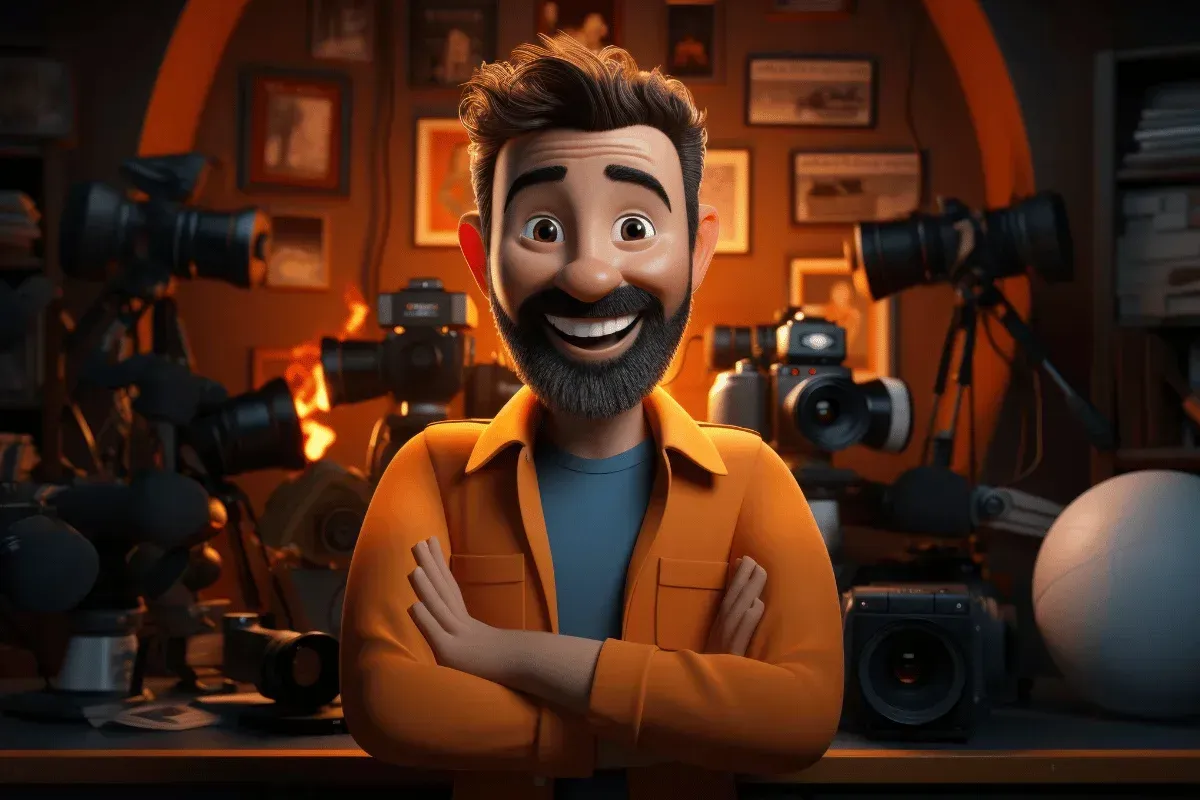
AI avatar videos are clips created using artificial intelligence in which a digital representation of a person, or an avatar, performs specific tasks based on a text script or other instructions.
AI avatar videos can:
- Be a digital version of you.
- Be a customized or stylized version of you, for example, hyperrealistic, animated, or 3D.
- Be a fictional character you created from scratch.
The three primary technologies that make AI avatar videos possible are:
- Generative AI: It is responsible for creating your avatar's appearance, movements, and expressions. It requires inputs such as a photo, a video, or a text description to generate the avatar in your desired style.
- Natural Language Processing (NLP): NLP enables the avatar to analyze and understand human speech, whether typed or spoken. Key components of NL are large language models (LLMs) and speech recognition. LLMs analyze your prompts and generate appropriate responses, while speech recognition converts your speech into text.
- Speech Synthesis: Also known as text-to-speech (TTS), converts texts generated during the NLP stage into a realistic-sounding voice.
Common Use Cases for Personal AI Videos
Producing AI videos is easy. Here’s how you can use the videos:
- Social Media Content: Narrate stories, react to videos, produce lifestyle and motivational videos, and memes for social media platforms such as TikTok, Instagram, and YouTube.
- Professional Videos: Use AI videos to market products, train and onboard new employees, make internal corporate announcements, and provide customer support.
- Personal Branding: Create AI avatars in localized languages for your audiences.
- Creative Projects: Generate music videos, short films, and animated shows, among other character-driven narratives.
- Education: As a teacher, lecturer, or educator, you can create lesson modules, tutorial videos, and how-to content. Customize lessons so each of your students understands.
How to Choose the Right AI Video Tool for Your Needs
There are numerous AI video tools available today, making it challenging to choose one that meets your needs.
That’s why you should follow these tips to choose the best AI video generator:
- Ease of Use: If you are a beginner, it is crucial to find an AI video generator that has a straightforward setup that is easy to master. For example, DomoAI is quite intuitive and does not require technical skills.
- Facial Accuracy: AI platforms use facial cloning, superimposing your face onto an avatar to generate its facial characteristics. However, not all AI models preserve facial identities equally. You should ensure the platform you pick has high-quality facial cloning and swapping.
- Lip Sync and Expression Quality: If you intend to generate talking videos, the realism of the lip sync and expressions is crucial. Some platforms may excel at animations but struggle with speech syncing, leading to audio-visual delays.
- Available Styles: Depending on the type of AI video you want to create, ensure the platform offers a variety of styles and presets to let you experiment. Examples of common styles include anime, cartoon, hyperrealistic, 3D avatar environments, and professional settings.
- Pricing: Most AI modelling platforms offer free and premium pricing models. However, some platforms have limitations on their free plans. For example, the videos might have watermarks or be of lower resolutions. They may also have a limit on the number of videos you can make in a month.
- Privacy and Data Security: Before using a platform, ensure the images and videos you upload are either deleted immediately after processing or are stored securely. Data security is critical, especially when using your real face to generate AI videos.
You don’t have to look further for an AI video software — consider DomoAI, which wins in all these features.
Let’s see how easy it is to use our platform to create your first AI video.
How to Create an AI Video of Yourself with DomoAI
Creating an AI video of yourself using DomoAI is quite simple.
Here's a step-by-step guide on how to make your video:
1. Identify Your Input Photo or Video
Find a well-lit, clean photo, either a selfie or an upclose portrait-style image. If you prefer a video, choose a short one in which you have a neutral expression.
For the best results, ensure the photo or video was taken in natural lighting, that the background is simple, and that your face is centered, with no filters or extreme angles.
2. Visit DomoAI
Go to DomoAI and sign in to your account. If you do not have an account, sign up. The process is straightforward and user-friendly.
3. Choose Your Video Creation Mode
Our platform provides several options for video generation, including:
- Face Animation: That turns photos into talking avatars.
- Face Swapping: It places your face onto an existing video.
- Text-to-Animation: Using a script to generate a talking avatar.
- AI Video Style Transfer: Transforms your video into another style, for example, anime.
4. Upload Your Photo or Video
Upload your preferred photo or short video. Our tool will automatically detect your facial features and prepare the media for animation.
5. Upload Audio
Select a mode of generating audio for your video. Our platform provides three options, namely:
- Uploading your own voice recording
- Typing a script and allowing our software to generate an AI voice
- Using any of the preset voices in our platform.
The audio file you choose will determine how the platform animates your mouth movements and facial expressions.
6. Pick a Style
With DomoAI, you can access 30+ artistic styles to choose the one that suits your preferences.
You can transform your inputs into realistic, anime, cartoon, professional, or cinematic styles. If you are unsure which style to choose, try the suggested animations and see which you like.
7. Click Generate
Click Generate and watch as DomoAI produces an AI video of you speaking or performing specified actions. You can then save and download the video or share it directly to your social media profile.
It’s that simple!
Also, at $19.59, you get unlimited generations under the Relax Mode, so you can create multiple versions until you find the one you like. You have 100% ownership rights to your AI videos.
Create your first talking avatars with DomoAI.
Best Practices for High-Quality AI Avatar Videos
Although creating AI avatar videos can be easy, it does not mean that every video you generate will be of high quality.
Here are tips to guarantee the best possible quality for your videos:
- Use High-Resolution Media: You’ll produce high-quality videos when your initial images and videos are high-resolution. Low-quality photos and videos will result in videos that lack sufficient detail and exhibit poor lip-syncing, and vice versa.
- Keep Backgrounds Minimalistic: Avoid busy backgrounds in your reference images and videos to create more realistic videos. You can also use AI background removal to edit scenes or swap backdrops.
- Use High-Quality Audio: If you plan to use your voice in AI videos, ensure you record with high-quality audio devices. You should also ensure there is minimal background noise that could interfere with audio quality if you want the output to be realistic.
- Write Clear, Concise Scripts: Learn how to write an effective image prompt that resembles realistic conversational tones and rhythms. You’ll generate the best possible output with these scripts.
- Perform Experiments First: Before generating any long-form videos, try creating short 5 to 10-second clips to ensure you have captured all the details you want for the avatar.
- Customize Appropriately: Consider the tone and style of your video when editing the settings. For example, social media videos can be more dramatic and stylized than professional videos. The voice tones should also match the context of your videos.
- Test Different Styles: Experiment with the styles available in your AI tool of choice to understand which resonate with your audience.
Tips to Troubleshoot Common AI Video Issues
Many AI video creators will initially encounter some issues during the video generation process.
Below are some ways you can resolve common AI video issues:
- Blurry or Distorted Facial Output: Use clearer, front-facing images and videos to ensure clarity. You should also remove any filters from images and avoid those with heavy makeup. If these tips do not work, try adjusting the lighting before taking photos to ensure you capture all details.
- Lip-Sync Mismatch: Begin by re-uploading a clearer audio. Alternatively, you can rewrite the script to make it simpler. Lastly, avoid using rapid speech patterns, as they can interfere with the AI model's speech recognition.
- Low Quality Videos: Ensure you use high-resolution images. You should also increase the export resolution and ensure you have a stable internet connection to prevent any disruptions. You could also revert to a more realistic style rather than hyperstylized ones, such as cartoons.
- Avatar that Does Not Resemble You: Upload at least three different pictures or short videos of yourself and determine which one seems the most like you. You should also ensure the images you pick have a neutral expression, since smiling or frowning can distort the outcome.
- Static Movement: If you experience inconsistent movement, consider increasing the level of detail in your prompts. For example, state the speed, direction, and quality of movement, such as ‘The figure strolls towards the still camera.’
Frequently Asked Questions
Now, let’s look at answers to common questions you might have:
Can I Generate an AI Video From a Script Without Technical Skills?
Yes, you can generate an AI video from a script.
You just need DomoAI, a user-friendly AI tool that lets you create videos with no technical skills.
Simply upload a photo or short video, type a script, customize the voice, and let the AI handle the video generation.
What Features Should I Look for in a Realistic AI Video Generator?
A realistic AI video generator should have:
- Accurate lip-syncing
- Fast processing speeds
- Secure data-handling protocols
- High-quality face cloning to ensure realistic video
- Natural-sounding voice-overs that mimic tones, emotions, and accents.
Is It Possible to Create Your Own AI Influencer?
Yes, it is possible to create your own AI influencer. Just ensure you maintain a consistent avatar style, tone, and script.
Once you capture your AI influencer's personality, you can even post while offline.
How Do I Use an AI Avatar to Generate Professional Videos?
You can use an AI avatar to deliver presentations, market products, explain complex topics, and perform corporate training.
For a corporate feel in the videos, use a professional avatar and professional voice settings, a concise script with minimal fluff, and neutral backgrounds with clear lighting.
How Do You Create a Talking AI Avatar for Video Content?
Here are the 4 steps to create an AI avatar video:
- Upload a photo or video of yourself to a platform, like DomoAI.
- Type a script or upload a voice recording of your preferred content.
- Customize the background, the avatar's style, and tone.
- Lastly, click generate to create your video.
Conclusion
AI videos have offered a convenient way to create and publish content regularly, without spending hours in front of a camera. You only need to provide an image or prompt, and you'll get an HD video you can share across platforms. However, this is only possible when using the right AI tool to create your videos.
DomoAI provides an all-in-one platform for converting text or images into 2K and 4K-resolution AI videos, with 100% ownership rights.
Additionally, our tool is easy to use and generates high-quality videos. We offer tiered plans starting at $9.99 per month, making them affordable even for casual users.
We also boast 3M+ creators in our top-10 global Discord community.