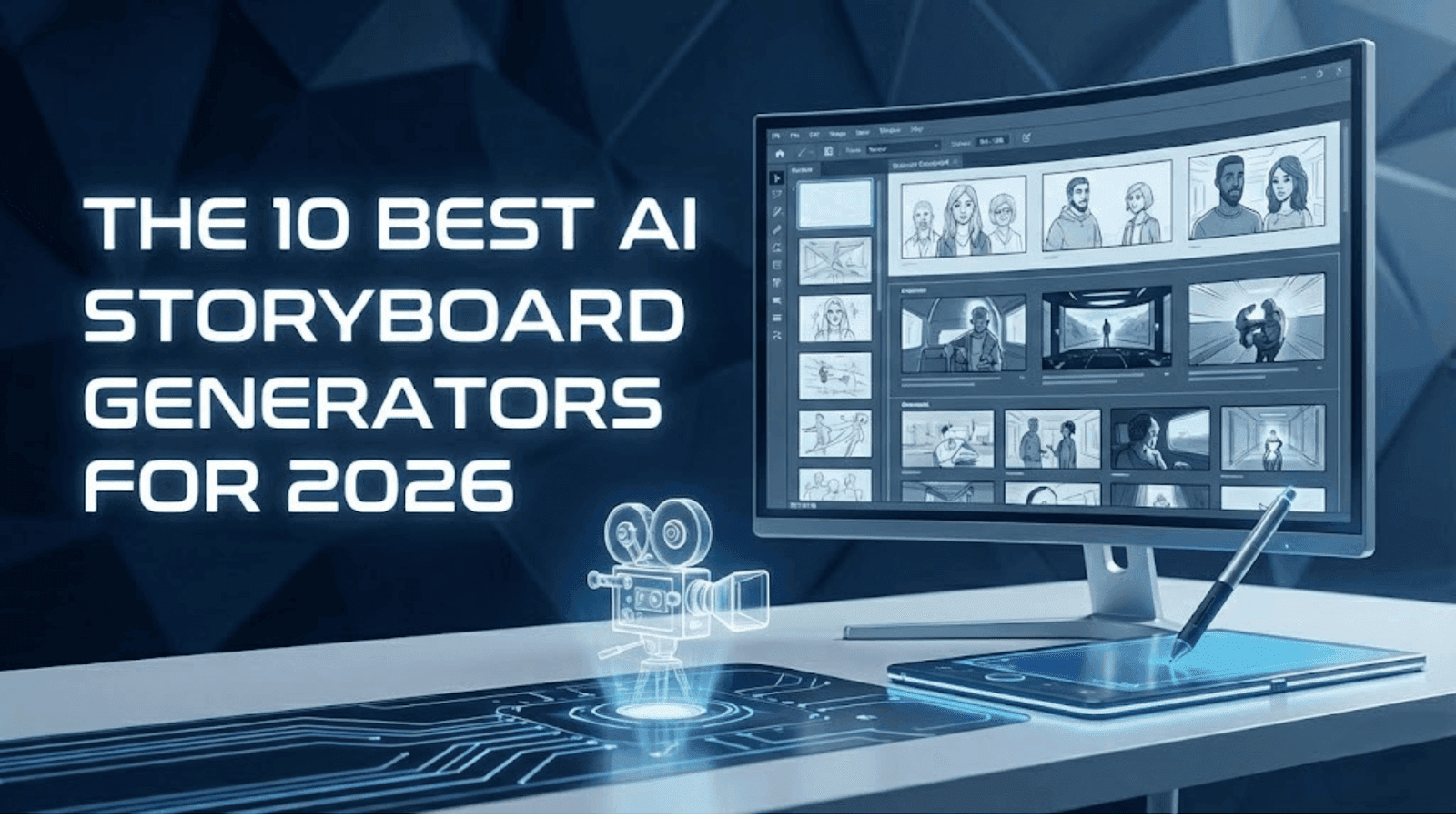
Okay, so… I still remember sitting at my desk in 2019 trying to storyboard my first project. Papers everywhere, broken pencils, a coffee that had gone cold hours ago, and me thinking I was sketching like Jack from Titanic… but the results looked more like a potato with limbs.
Total disaster.
That's when I discovered AI storyboard generators, and honestly, they changed everything for me. I uploaded a script, clicked a button, and suddenly I had a full storyboard… without having to pretend I knew how to draw.
And it’s not just me. According to Zebracat, 73% of major film studios now use AI storyboarding tools to speed up pre-production, which basically means everyone’s tired of hand-drawing scenes frame by frame.
These tools take your script or idea and turn it into clean, client-ready visuals in minutes.
And after testing everything (and burning through way too many credits), I’ve narrowed it down to the 10 best AI storyboard generators for 2026. These are the tools that actually work, the ones I trust on real projects, and the ones that save you when a client says, “Can we see the storyboard… tomorrow?”
So take a deep breath. Creative mode activated. Let’s begin!
Quick Comparison: The Best AI Storyboard Generators in 2026
Alright, before we unpack the juicy details, here’s the quick cheat sheet so you already know who’s taking the crown in each category.
| Tool | Best For | Key Strength | Main Limitation | Starting Price |
|---|---|---|---|---|
| DomoAI | Dynamic, animated storyboards | True frames-to-video animatics | Not built for full script breakdowns | $6.99/mo |
| Boords | Teams & agencies | Industry-leading script breakdown + collaboration | AI image quality varies | $49/mo |
| StoryboardHero | Fast client pitches | Super-fast script-to-boards + consistent characters | Limited cinematic control | $29/mo |
| Shai Creative | Filmmakers & cinematography | Understands film language (shots, angles, movements) | Advanced features require paid plan | $12/mo |
| Atlabs | All-in-one script → video | Full workflow: script, storyboard, VO, video | Storyboards aren’t cinematic | $15/mo |
| LTX Studio | Deep creative control | Customizable shots, lighting, motion + pitch decks | Occasional AI inconsistencies | $12/mo |
| Storyboarder.ai | Fast concepts & rough ideas | Very quick script-to-boards | Character drift + weak continuity | $35/mo |
| Katalist.ai | Ultra-fast workflow | 4–5 min script-to-storyboard + Premiere Pro export | Templates feel restrictive | $19/mo |
| Canva Magic Studio | Beginners & social content | Easiest interface + great for simple boards | Manual assembly, no automation | $15/mo (Pro) |
| Leonardo.AI | High-end visuals | Stunning image quality + custom models | Not a real storyboard generator | $12/mo |
What to Look For in a Storyboard Generator
If you want to choose the right AI storyboard generator (your trusty sidekick), you need to know the key factors that actually shape your results. So let’s take a quick look at the essential features every creator should keep an eye on.
- Clarity of Output: Make sure the tool produces clean, readable frames you can actually present to clients or teams.
- Character Consistency: If your characters magically change faces every scene… that’s a problem. Look for tools with strong consistency controls or reference features.
- Script Handling: Some tools require heavy prompting; others break down your script automatically. The less manual cleanup you do, the better.
- Motion & Animatics: If you need more than static frames, pick a tool that supports movement, transitions, or full frame-to-video previews.
- Customization Options: Shot types, camera angles, lighting cues, art style controls — these make your boards feel intentional instead of generic.
- Ease of Use: A friendly interface matters. You shouldn’t need a film degree or three hours of tutorials just to make a storyboard.
- Export Flexibility: Look for PDF, MP4, or timeline exports so you can hand off assets easily to editors, clients, or production teams.
- Pricing & Credit System: Some tools give you unlimited generations; others burn credits fast. Make sure the pricing matches your workflow.
The 10 Best AI Story Generators for 2026
Now that you know what actually matters when choosing an AI storyboard generator, let’s take a quick peek at the tools that are actually worth your time this year.
1. DomoAI — Best Overall Story Generator for Dynamic, Frame-to-Video Storytelling
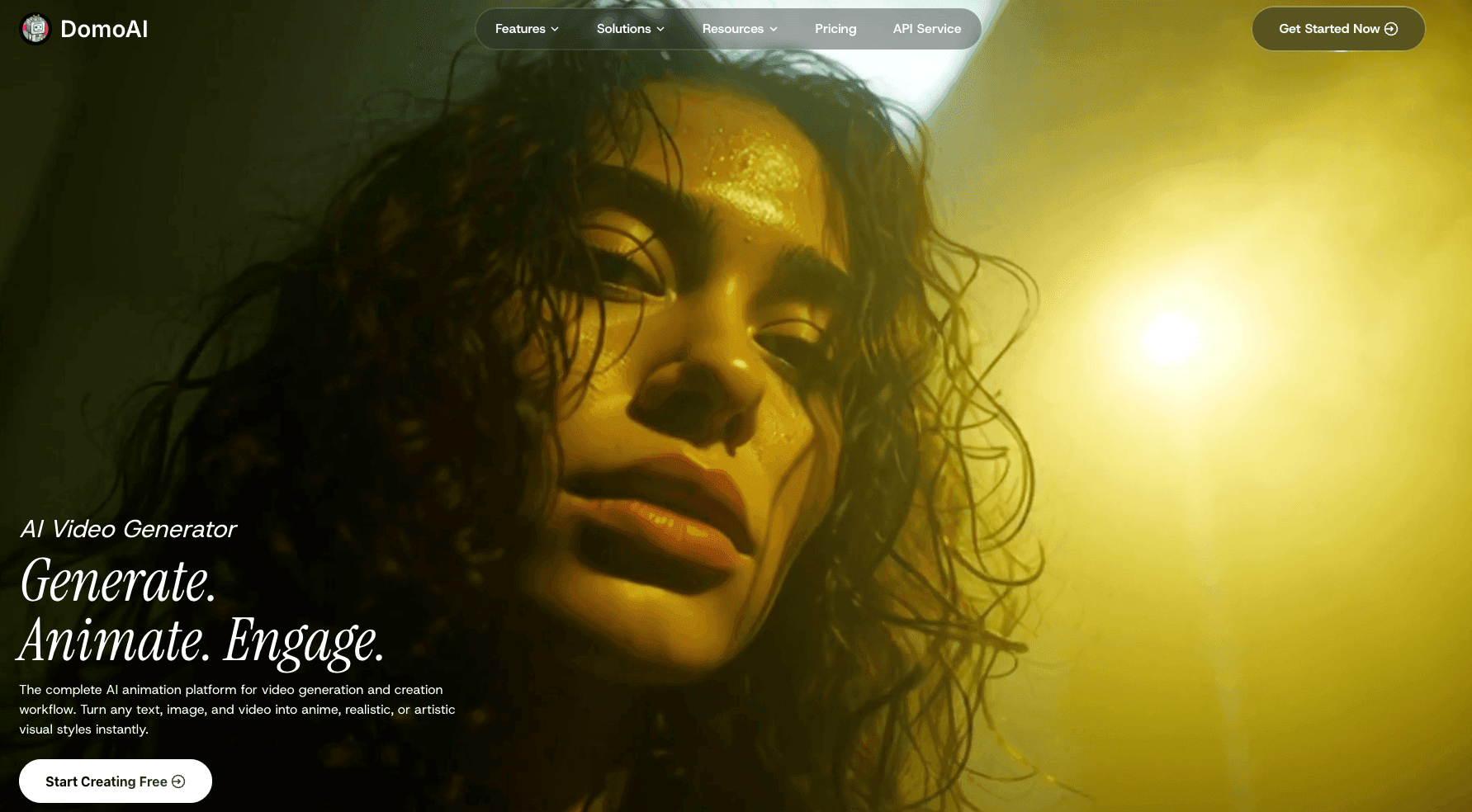
I recently found DomoAI, and one feature genuinely surprised me — Frames to Video. Most AI tools stop at pretty pictures, but DomoAI takes 2–8 frames and turns them into a smooth animatic. I tested it with rough sketches and my client legit assumed I had pulled in a whole animation team.
That’s when it hit me — DomoAI isn’t just a generator, it’s a mini creative studio wearing AI pajamas. The Advanced Model is steady, cinematic, and handles everything from moody film shots to anime and OC characters without falling apart.
It’s perfect for showing pacing, movement, and transitions — especially when clients struggle to imagine how scenes connect…total relief.
The interface is clean, the workflow is fast, and the output is consistently impressive. My only tiny gripe is wishing the fast lanes were even faster, but that’s probably just my impatience talking.
DomoAI makes storyboards feel alive. It’s one of those tools that instantly levels up how you present your ideas.
Key Features:
- Turns storyboard frames into smooth animated videos
- Stable Advanced Model for clean, high-quality motion
- Image-to-video and text-to-video generation
- Consistent character animation across scenes
- 30+ style options including anime, cinematic, and cartoon
- AI talking avatars with automatic lip-sync
- 4K upscaling and easy background removal
- Simple, beginner-friendly interface
- Ready-made templates for fast creation
- Works on web and Discord
Pros and Cons:
Pros
The only AI tool that creates true storyboard-to-video transitions
Consistently strong visual + motion quality
Affordable and beginner friendly
Ideal for pitching and pre-visualization
Cons
Fast lanes could be quicker
Not designed for full script breakdowns
Pricing:
- Basic – $6.99/month (billed yearly): 500 credits/month, all styles, 3 fast lanes, no watermark.
- Standard – $19.59/month (billed yearly): 1,500 credits/month, unlimited Relax Mode generations, unlimited Nano Banana Pro in Relax, 3 fast lanes, no watermark.
- Pro – $48.99/month (billed yearly): 4,000 credits/month, unlimited Relax Mode, advanced video features (20s–60s), 6 fast lanes, no watermark, full style access.
2. Boords — Best for Teams Who Want Fast, Organized, Studio-Ready Storyboards
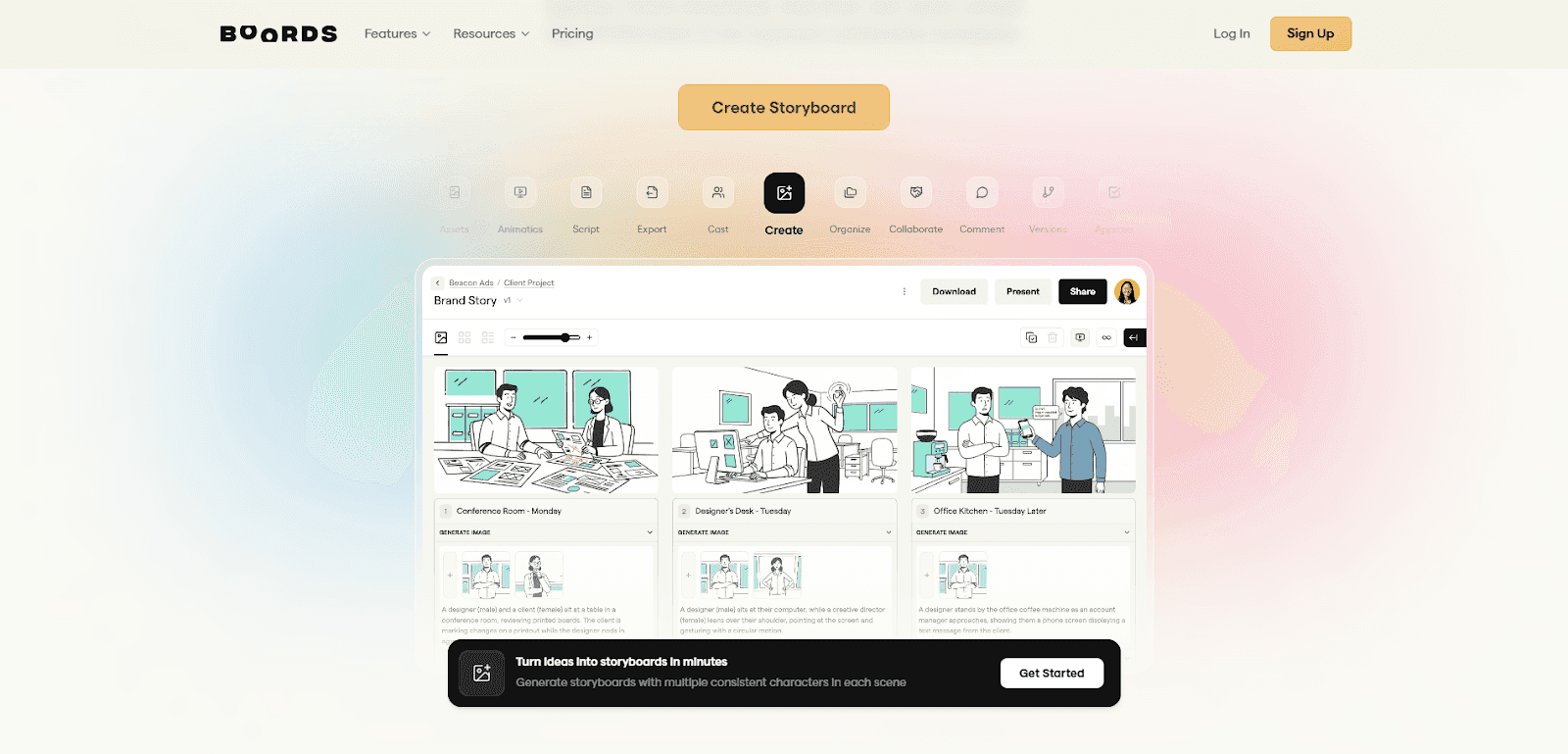
Boords is one of those tools I didn’t expect to love, but it won me over fast. The first time I uploaded a script, the format was a mess… yet it still broke everything into clean, organized scenes. I just stared at my screen like, wait… it understood that? Total creator relief.
What I love most is how smoothly it fits into real workflows. It turns your script into a structured storyboard, lets you add images, rearrange frames, leave comments, and share one simple link with clients.
It’s perfect for studios, agencies, production teams, and freelancers who need polished, professional boards — especially when multiple people are involved.
After using it on dozens of projects, it’s clear this thing shines — the workflow is smooth, the collaboration is effortless… I just wish the AI images behaved a little more consistently.
Key Features:
- Breaks down your script into a full storyboard automatically
- Lets you generate scenes with multiple characters (without extra prompting)
- Everything happens in real time — comments, feedback, teamwork
- Over 100 ready-to-use templates for fast layout building
- Version control, approvals, and easy share links built right in
- Exports to PDF, decks, or full production sheets
- 100% browser-based
Pros and Cons:
Pros
Extremely reliable script breakdown
Team collaboration is unmatched
Huge template library
Easy sharing + client sign-off
Cons
AI image quality can be inconsistent
Free plan is limited
Not ideal for highly stylized visuals
No video animatics
Pros
Cons
Extremely reliable script breakdown
AI image quality can be inconsistent
Team collaboration is unmatched
Free plan is limited
Huge template library
Not ideal for highly stylized visuals
Easy sharing + client sign-off
No video animatics
Pricing:
- Free Trial: Includes usable features (not a “look but don’t touch” demo)
- Standard – $49/month: 1 user, 1,000 AI images/month, all export formats, sharing links, version control, animatics.
- Workflow – $99/month: 1 user, unlimited AI images, customizable templates, team comments, project-based access, custom subdomain.
- Add Users: +$15/month per extra seat.
- Yearly Billing: Save up to 20%.
3. StoryboardHero — Fastest Script-to-Storyboard Tool for Filmmakers & Ad Teams
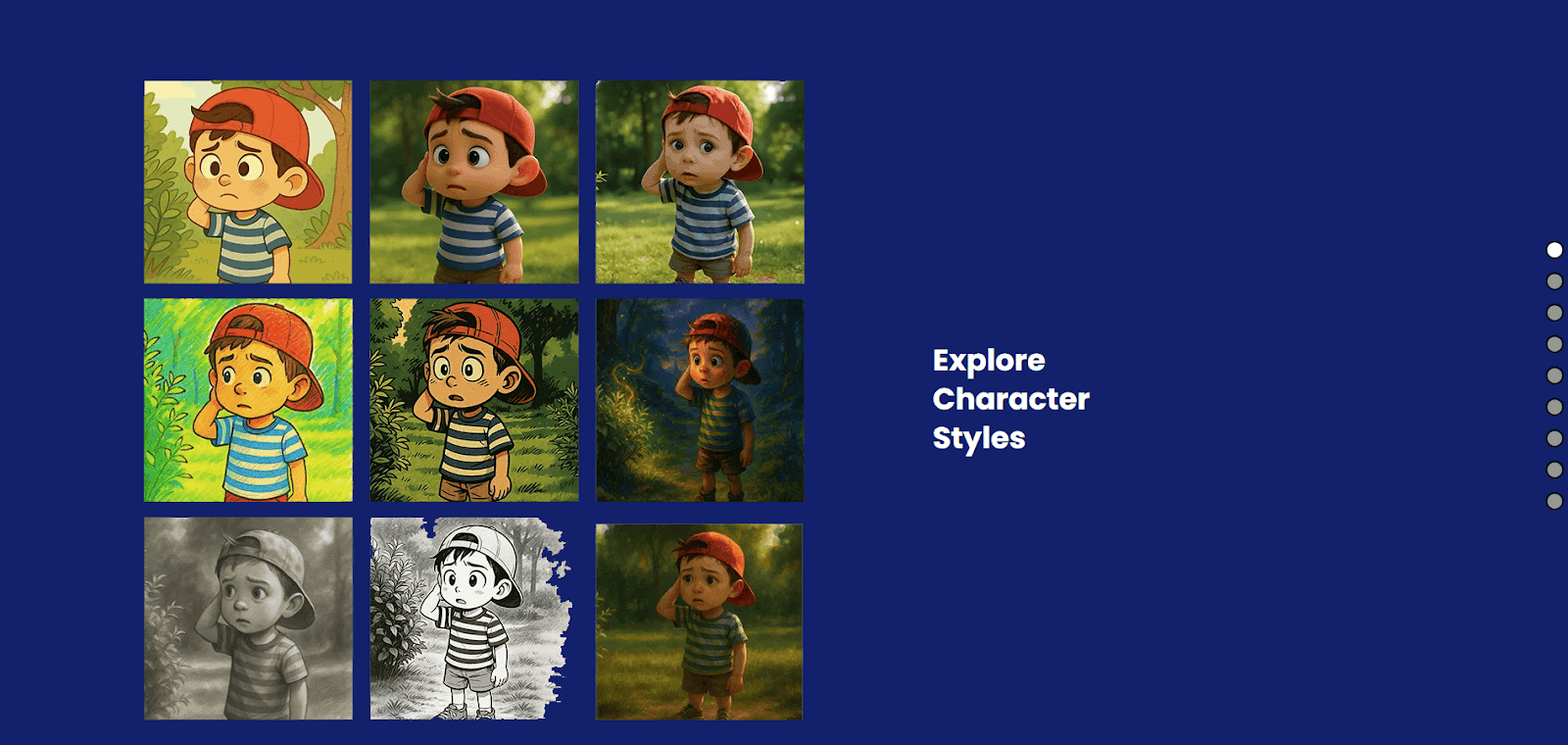
If you’ve ever worked in advertising — like I do on and off — you know the drill: clients want visuals yesterday. StoryboardHero is one of the few tools that actually keeps up with that madness. I’ve gone from raw script to a polished, client-ready storyboard in under 20 minutes, and somehow it still looks like I pulled an all-nighter perfecting every frame. The character consistency alone puts most tools to shame.
My favorite “save me” moment? A client suddenly bumped a pitch up by two whole days. Full panic mode. I dropped the script into StoryboardHero at 10 PM, did a quick pass, and walked into a 9 AM meeting with clean, professional boards. They approved it immediately.
So yeah — it’s fast, clear, and built for pitching under pressure. Just keep in mind: it’s not the most cinematic, the AI tends to play things safe, and there’s no free plan to test-drive it first.
Key Features:
- AI image generation with style and camera controls
- Granular shot settings (lighting, focus, camera movement)
- Real-time team collaboration and versioning
- Convert storyboards into MP4 videos
- Export to PDF or CSV with customizable shot details
Pros and Cons:
Pros
True script-to-storyboard automation
Fast, efficient pre-production workflow
Easy for non-artists to create storyboards
Clear, professional production exports
Cons
Artwork can lack nuance or emotion
Limited cinematic and creative control
Some results may look generic or predictable
Best features locked behind paid plans
Pricing:
- Solo – $29/month: 1 seat, unlimited projects + 150 premium images/month.
- Starter – $59/month: 5 seats, unlimited projects + 350 premium images/month.
- Advanced – $199/month: 10 seats, unlimited projects + 1200 premium images/month.
- Enterprise – Custom: Unlimited seats with a dedicated account manager.
4. Shai Creative — Best Cinematography-Aware Storyboard Tool for Filmmakers
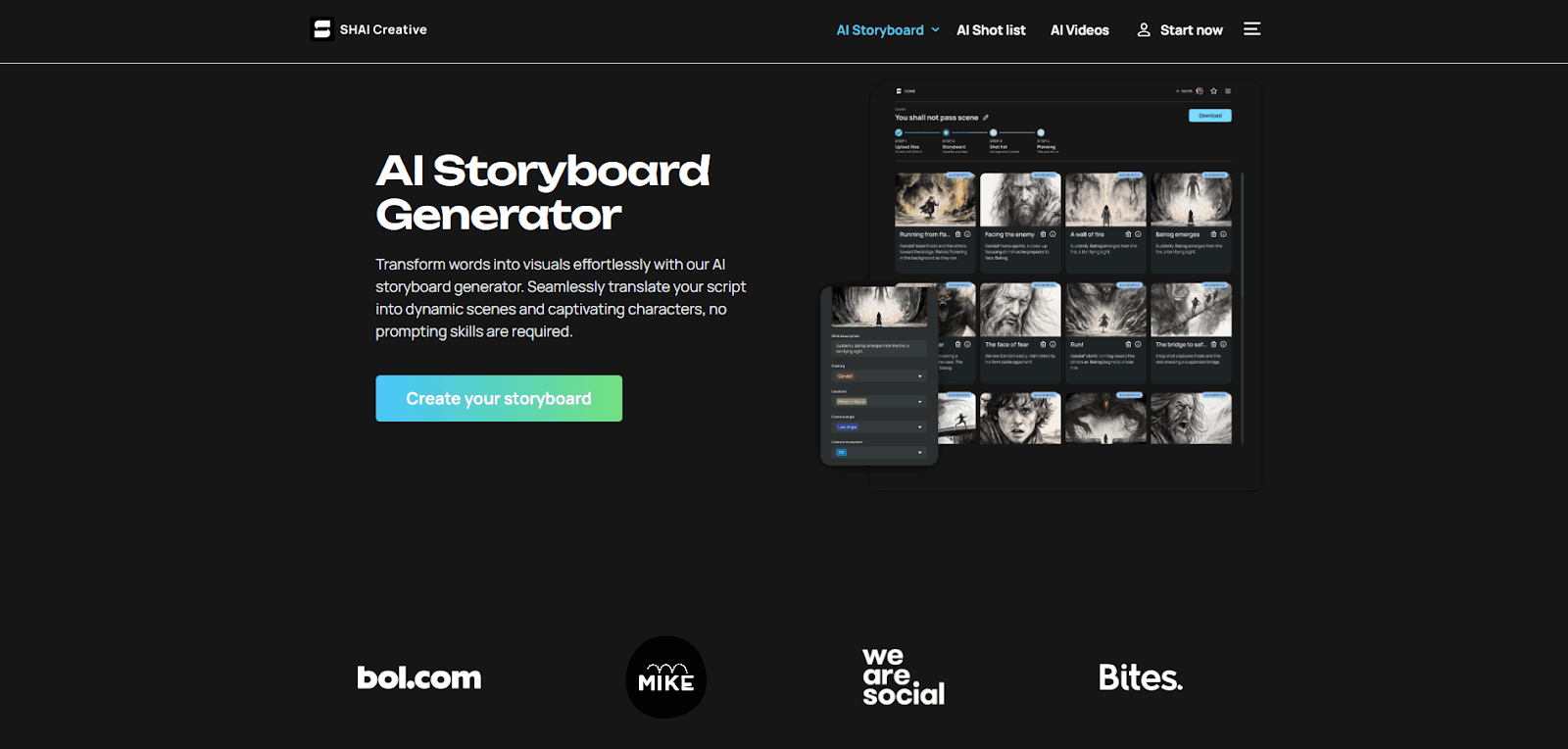
Shai Creative is one of those tools that instantly feels like it gets filmmakers. I uploaded my script expecting simple images, and it came back with real shot choices — angles, movements, the whole thing. It was giving “assistant cinematographer,” and I didn’t mind at all.
The best part is the zero-prompt workflow. I just dropped in a script and it understands film language on its own — “dolly in,” “Dutch angle,” “close-up.” It even keeps characters consistent across scenes, which most tools still struggle with.
My favorite test was a short about a time-traveling barista. I needed the same character across multiple timelines, and Shai nailed it — same face, new outfits, perfect continuity.
The interface feels like it was designed by filmmakers for filmmakers. Everything is where you'd expect it to be. Learning curve? Maybe 30 minutes tops.
Key Features:
- AI animatics that turn static frames into quick video previews
- AI character generator to keep visuals consistent across scenes
- Creative assistant tools for refining pre-production documents
- Auto-generated shot lists with cast, timing, and camera details
- Fully online platform — no downloads, no setup
- Scene-by-scene visualization powered by the AI storyboard engine
- AI-optimized shoot planning and scheduling
Pros and Cons:
Pros
Extremely fast pre-production workflow
Easy for beginners to use
Highly customizable after AI outputs
Affordable and scalable for all team sizes
Cons
Premium features (like animatics) require paid plans
Focused only on pre-production, not final editing
Complex projects may need manual fine-tuning
Pricing:
- Free Trial: First 9–10 scenes + 200 starter credits
- Basic – $12/month: 120 images + 13 videos
- Freelance – $29/month: 440 images + 44 videos
- Studio – $79/month: 1,400 images + 156 videos + animatics
- Enterprise – Custom: Tailored limits, unlimited seats, and priority support
5. Atlabs — The Fastest All-in-One Tool for Script, Storyboard, and Video
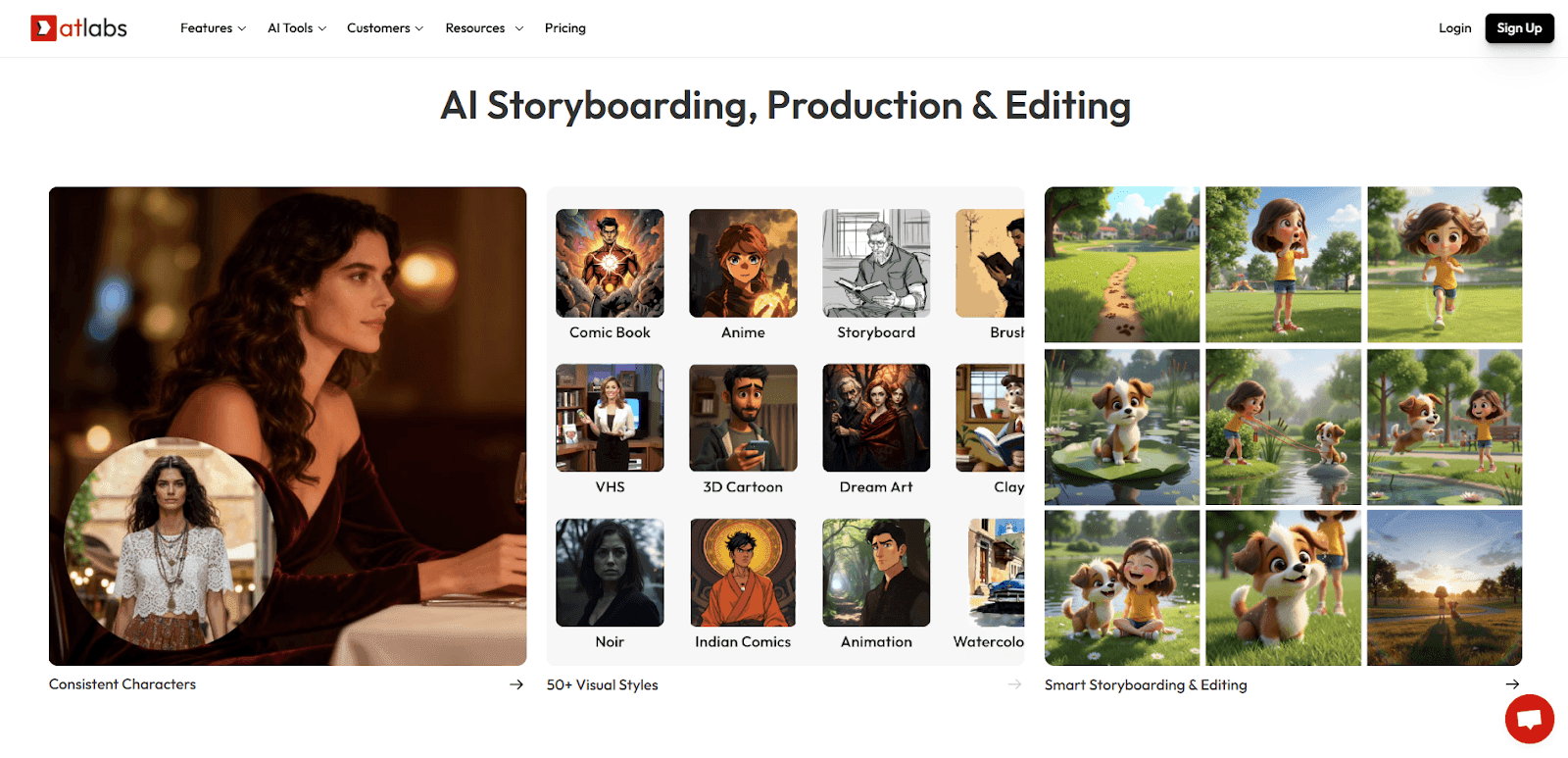
Atlabs is one of those tools you open once and immediately think, oh… this really does everything. It breaks down your script, builds the storyboard, generates voiceovers in 40+ languages, adds motion graphics, and hands you a finished MP4 — all without hopping between a dozen apps.
I realized how powerful it was when a client needed the same explainer in English, Spanish, and Mandarin. Normally that’s translators, voice actors, endless revisions… but with Atlabs, I delivered all three versions in under three hours. The client asked how I pulled it off, and honestly? Same question.
There are trade-offs, of course. The storyboards aren’t cinematic, and the voiceovers aren’t studio-perfect. But if you care about speed, convenience, and getting from script to final video without breaking your flow, Atlabs delivers — effortlessly.
Key Features:
- Generates visuals and B-roll automatically using a huge media library
- Creates scripts from your ideas with the built-in AI script writer
- Keeps characters consistent across all your videos
- Translates videos into 40+ languages with synced subtitles and audio
- Comes with decent AI voiceovers and an option to clone your own voice
Pros and Cons:
Pros
Very easy to use — quick learning curve
Cost-effective for small businesses & creators
Keeps characters consistent across all videos
Scales well for making many on-brand videos
Realistic lip-synced voiceovers
Cons
Limited deep customization for complex projects
Occasional AI quirks in expressions or motion
Video generation can be slow at times
Interface has minor usability quirks
Some manual tweaks still required for polish
Pricing:
- Lite – $15/month: Basic AI text-to-video with 10-min videos and 20+ styles.
- Pro – $29/month: Adds AI motion videos, branding tools, and 1080p exports.
- Plus – $59/month: Includes model training, audio-to-video, and 15-min videos.
- Max – $189/month: Advanced AI features, faster renders, and priority support.
- Enterprise – Custom: Unlimited 4K videos with dedicated workflows and support.
6. LTX Studio — The Most Flexible Text-to-Storyboard-to-Video Tool for Creators Who Want Control
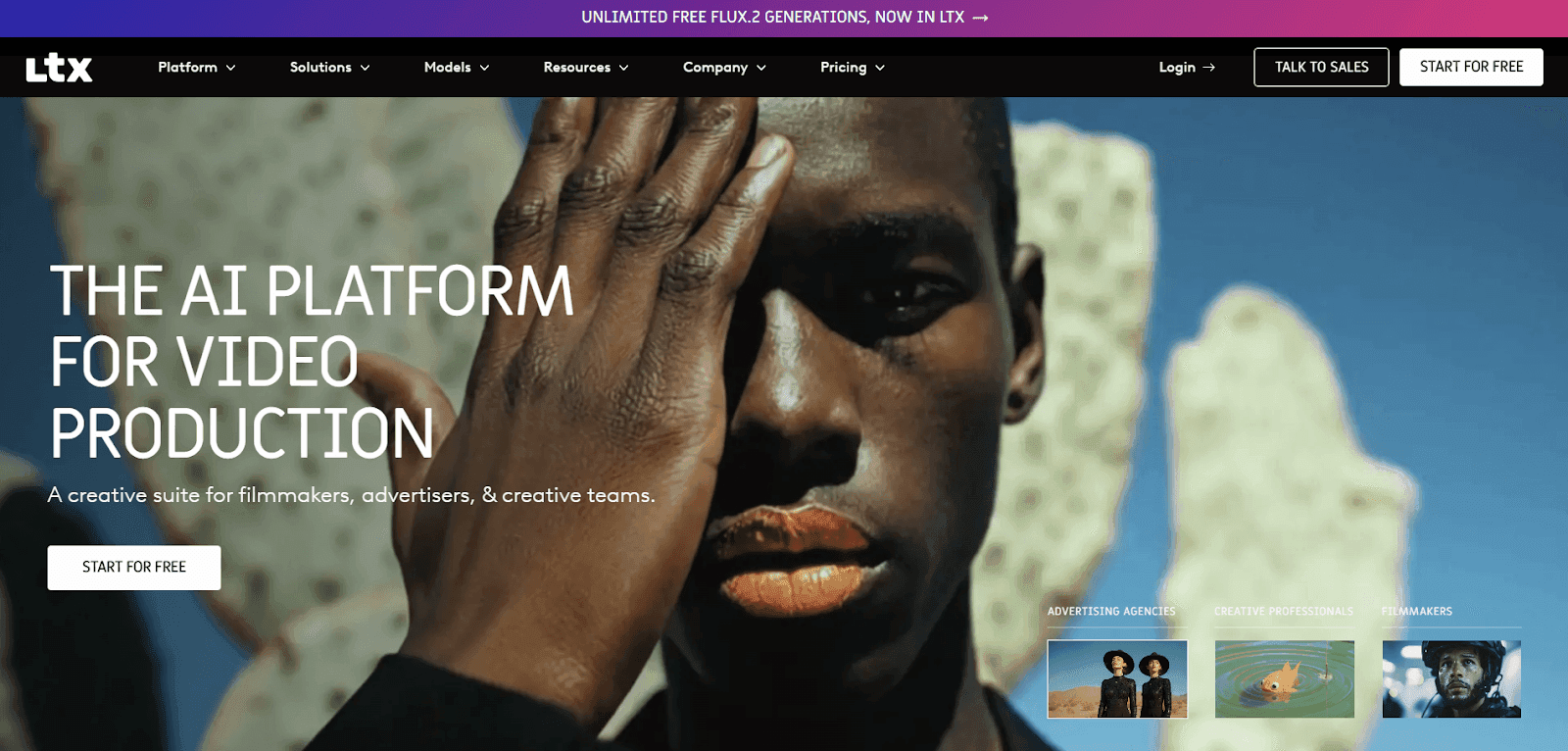
LTX Studio is made for creators who can see the film in their head but need help getting it onto the screen. You drop in a script and it builds out shots, characters, angles, and full storyboards like a pre-production assistant who actually pays attention. The real magic is the control — lighting, blocking, motion, even pitch decks — all from your browser.
I reach for LTX when a project needs multiple outputs. One job needed PDFs for investors, MP4s for social, and a clear visual outline for the editor. LTX handled all of it without me touching a second tool. And the pitch deck generator? Absolutely a client-closer.
But..it isn’t flawless — motion can get weird, high-res output wobbles sometimes, and the advanced tools take a minute to learn.
But if you want real creative control without juggling five platforms, LTX is one of the strongest all-in-one options out there.
Key Features:
- Fully online workspace you can open in any browser
- Lets you create videos from text or images
- Keeps characters consistent with easy customization tools
- Add music, effects, and voiceovers right inside the editor
- Use reference images to guide the look and style
- Share projects effortlessly with teams or clients
- Adjust camera angles and basic motion for a more cinematic feel
Pros and Cons:
Pros
Fast text-to-video and storyboard generation
All-in-one workflow: storyboard → edit → pitch
Beginner-friendly basics
Highly customizable visuals and shots
Great for teams and pre-viz workflows
Cons
AI inconsistencies (hands, motion, shapes)
Not always high-resolution; 4K still rolling out
Steep learning curve for advanced tools
Performance slowdowns during heavy projects
Often needs post-processing in other tools
Pricing:
- Free – $0: 800 one-time credits, basic image/video generation.
- Lite – $12/month: 8,000 credits/month with advanced camera controls and upscaling.
- Standard – $28/month: Unlimited FLUX.2 generations + 28,000 credits/month (best for most creators).
- Pro – $100/month: 110,000 credits/month, advanced models, pitch decks, and team collaboration.
- Enterprise – Custom: Unlimited collaborators, custom model training, onboarding, legal terms, and enhanced privacy.
7. Storyboarder.ai — Great for Fast Concepts, Less Great for Full Projects
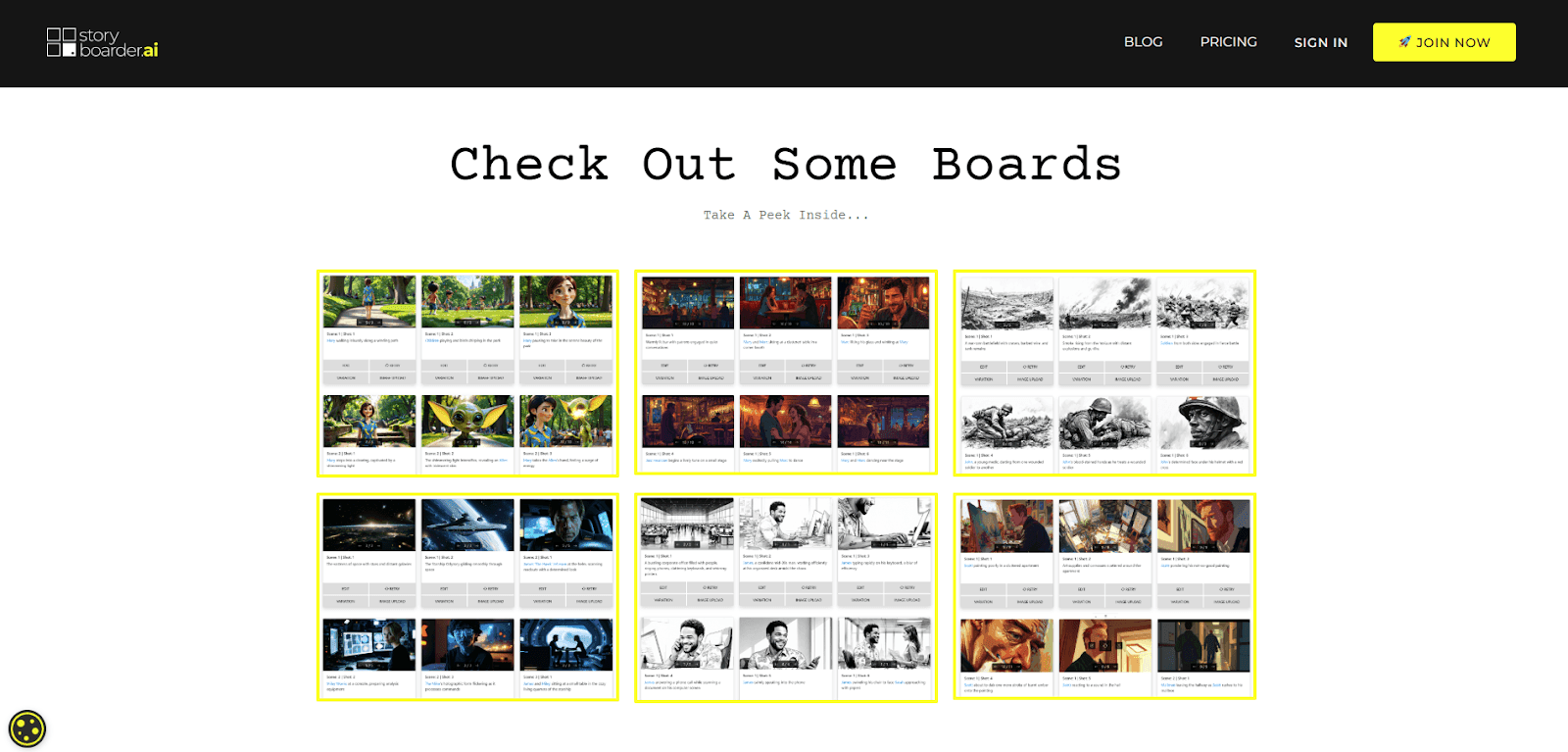
Storyboarder.ai is one of those tools I wanted to fall in love with. The hype is real — over a million storyboard images — and when it works, it really works. Some frames look almost cinematic, the shot list generator is genuinely handy, and for quick idea sketches, it’s great.
But character consistency? That’s where things get messy. My protagonist looked like a different person every few frames, and anything more complex than a simple talking-head scene tends to send the AI into its own alternate universe. Action, emotion, continuity — it struggles to keep the thread.
That said, Storyboarder.ai still has its place. For basic scenes, rough concepts, or fast visualization, it delivers. Just don’t expect it to stay consistent across an entire project — it’s more “idea generator” than “full storyboard solution.”
Key Features:
- Generates visuals in multiple art styles with refresh variations
- Turns static boards into simple animatics (image-to-video)
- InEdit & InPaint tools for fine-tuning shots and fixing details
- Manage shots easily: add, delete, duplicate, reorder
- Supports teams with comments, feedback, and version control
- Export to PDF, CSV, MP4, and industry-standard formats
Pros and Cons:
Pros
Very fast script-to-storyboard generation
Easy for beginners — no drawing skills needed
Great for brainstorming and early concepting
Useful collaboration and export tools
Helps teams generate shot lists quickly
Cons
Struggles with complex action or emotional continuity
Character consistency drifts across scenes
Requires strong prompting to avoid generic results
Lacks artistic nuance and emotional depth
Not suitable for polished or final video outputs
Pricing:
- Trial – Free: 2 projects, 9 shots per project, limited exports.
- Starter – $35/month (yearly): Up to 10-page stories, unlimited images, 10 video generations.
- Pro Unlimited – $89/month (yearly): Unlimited projects, 30-page stories, unlimited images.
- Production Unlimited – $225/month (yearly): Unlimited everything for feature films.
- Enterprise – Custom: SSO, analytics, dedicated support, custom limits.
8. Katalist.ai — The Fastest Script-to-Storyboard Tool With True Premiere Pro Integration
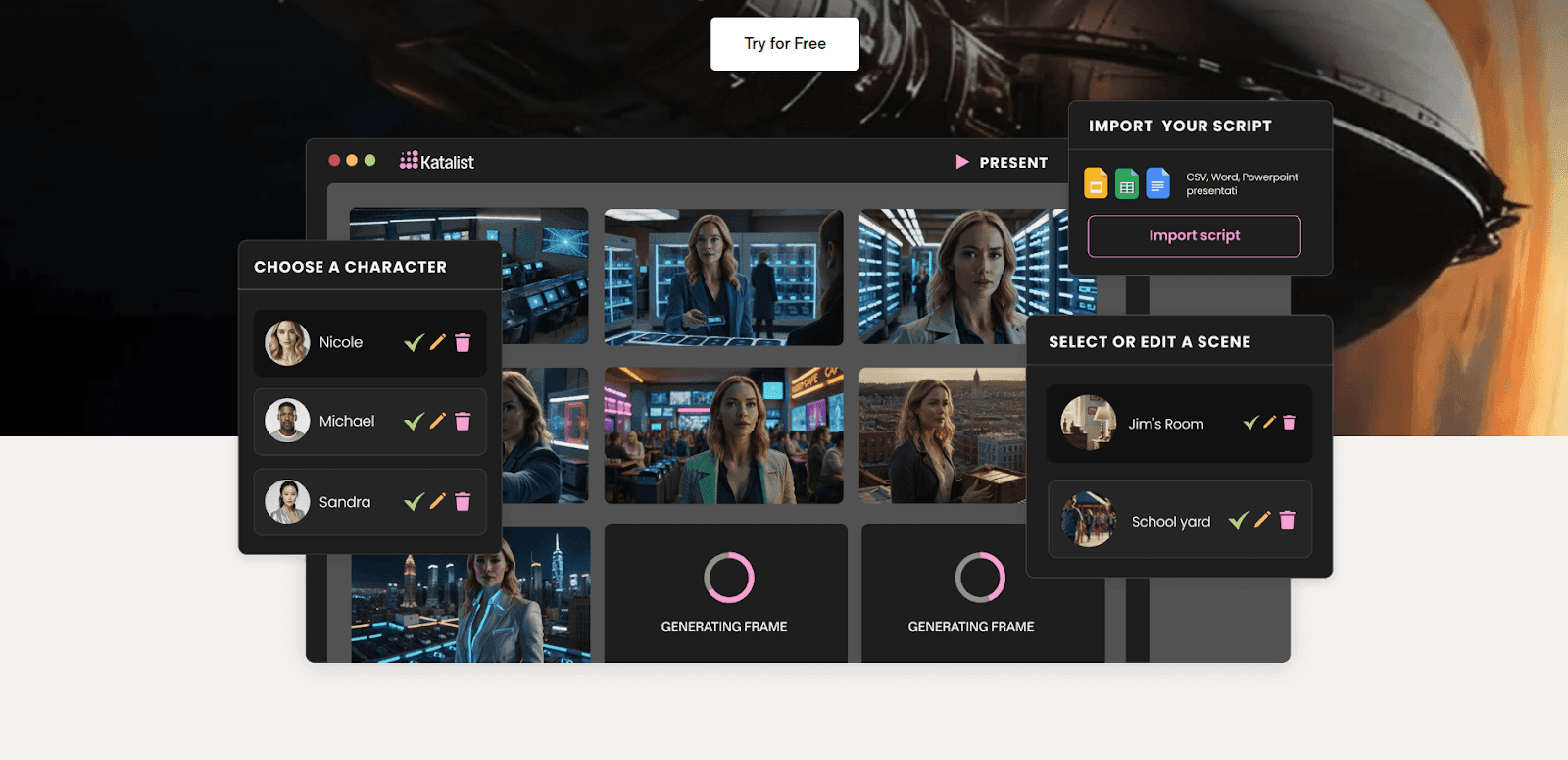
Katalist.ai is one of those tools you try once and instantly get why people are excited about it. I discovered it three weeks ago and have already used it on two projects — mostly because it is ridiculously fast. I timed it: from script upload to a complete storyboard, 4 minutes and 37 seconds. No exaggeration.
And the Premiere Pro export? A lifesaver. It sends your captions, timing, and metadata straight into a ready-made timeline, which saves me at least an hour per project. It’s easily the strongest workflow integration I’ve seen in this space.
But we all know, tools don’t nail everything.
The templates can feel limiting and the AI still struggles with emotional nuance — but for speed, structure, and getting client-ready visuals fast, Katalist is seriously impressive.
Key Features:
- Consistent characters across all scenes with easy recasting
- Cinematic controls for angles, poses, props, and shot types
- AI video and animatic creation with motion, VO, and music
- Full Premiere Pro export with timeline structure included
Pros and Cons:
Pros
Generates storyboards extremely fast
Boosts creativity with cinematic tools
Beginner-friendly interface
Strong team collaboration features
Direct export into editing workflows
Cons
Templates can feel rigid
Still needs manual tweaks for polish
Output quality depends heavily on script clarity
Integrations occasionally glitch
Pricing:
- Essential – $19/month: 200 image credits, 700 video credits, 1 custom character.
- Pro – $39/month: 700 image credits, 1500 video credits, 10 characters, image editor + Premiere Pro integration.
- Unlimited – $99/month: Unlimited images, 3000 video credits, unlimited characters, team collaboration.
- Enterprise – Custom: Unlimited usage, SSO, API access, 24/7 support.
9. Canva Magic Studio — Easiest AI Storyboarding Option for Beginners & Quick Social Content
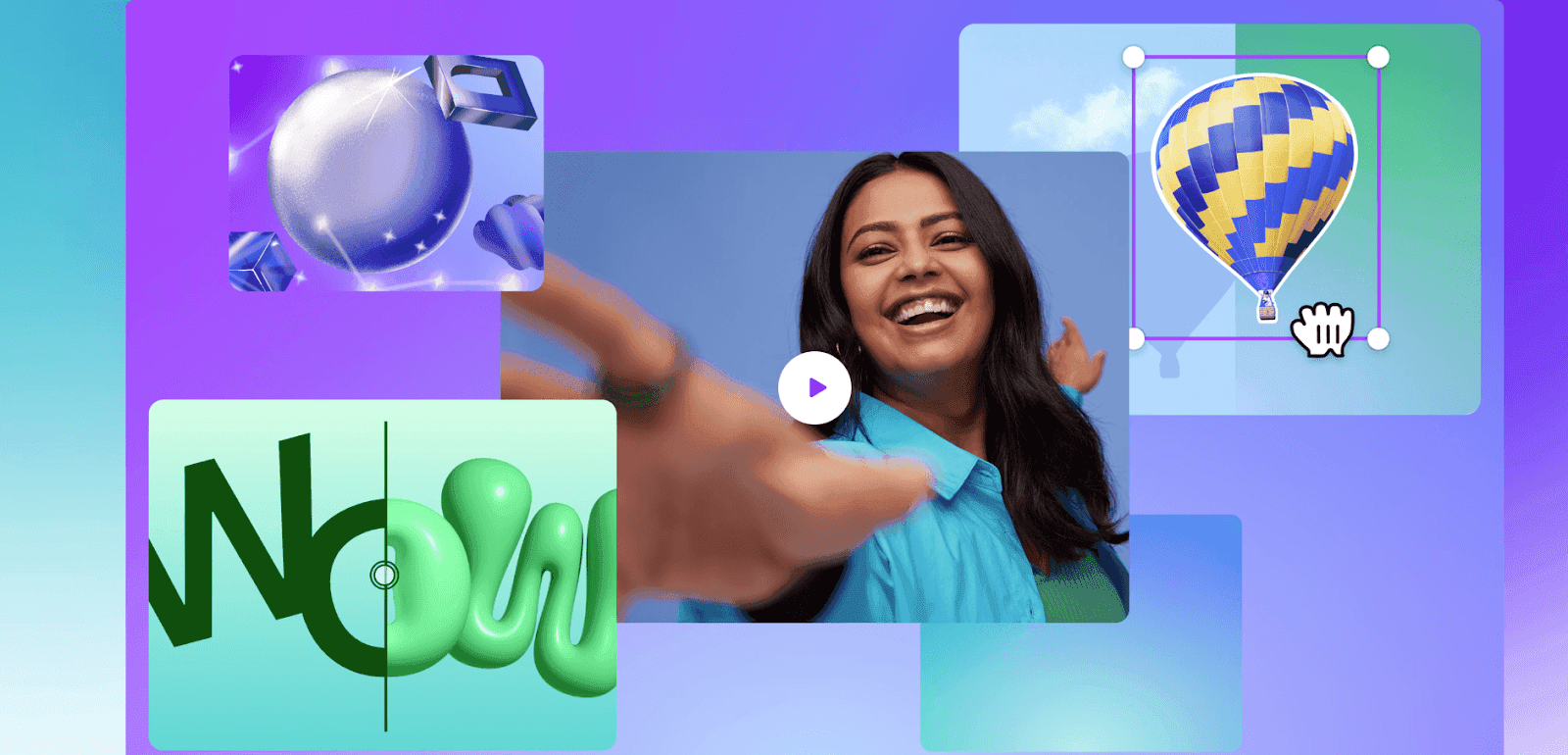
Canva Magic Studio is basically the “starter kit” for anyone who already lives in Canva. It’s not trying to compete with the big filmmaking tools — and honestly, that’s why it works. For social content, quick pitches, mood boards, or explaining an idea visually, it’s fast, clean, and ridiculously easy.
I use it when a project doesn’t need cinematic shots or complex continuity. Social ad concepts? Client direction decks? Quick storyboard-style layouts? Canva nails all of that in minutes. Zero learning curve.
Of course, everything is manual. No script-to-storyboard automation, no character consistency, no cinematic logic. You’re dragging, dropping, and arranging things yourself. But if you already have Canva Pro, it’s basically free — and for lightweight storyboarding, it gets the job done without overthinking.
Key Features:
- Magic Media creates images or short clips from prompts.
- Magic Write drafts scripts and dialogue fast.
- Magic Design builds storyboard layouts automatically.
- Magic Switch resizes your boards for any platform.
- Magic Animate adds quick transitions for simple animatics.
- Magic Edit/Erase/Expand fine-tunes each panel.
- Real-time collaboration for team edits.
- Huge built-in library of photos, graphics, and icons.
Pros and Cons:
Pros
Extremely easy to use — perfect for beginners
Integrated directly into Canva's editor
Fast for social content and simple concepts
Works well with Canva's other AI tools
Affordable and accessible for small teams
Cons
No script-to-storyboard automation
AI video clips limited to ~8 seconds
Limited monthly AI generations
Output can feel generic or repetitive
Minimal creative control vs pro tools
Pricing:
- Free: Limited Magic Studio features (small prompt limits).
- Canva Pro – ~$15/month: Full Magic Studio access with higher AI credits.
- Canva for Teams – ~$100/year per person: Pooled AI features + collaboration tools.
- Enterprise – Custom: Advanced brand control, security, and high-volume AI usage.
10. Leonardo.AI — Best for High-End Visuals, Not Full Storyboards
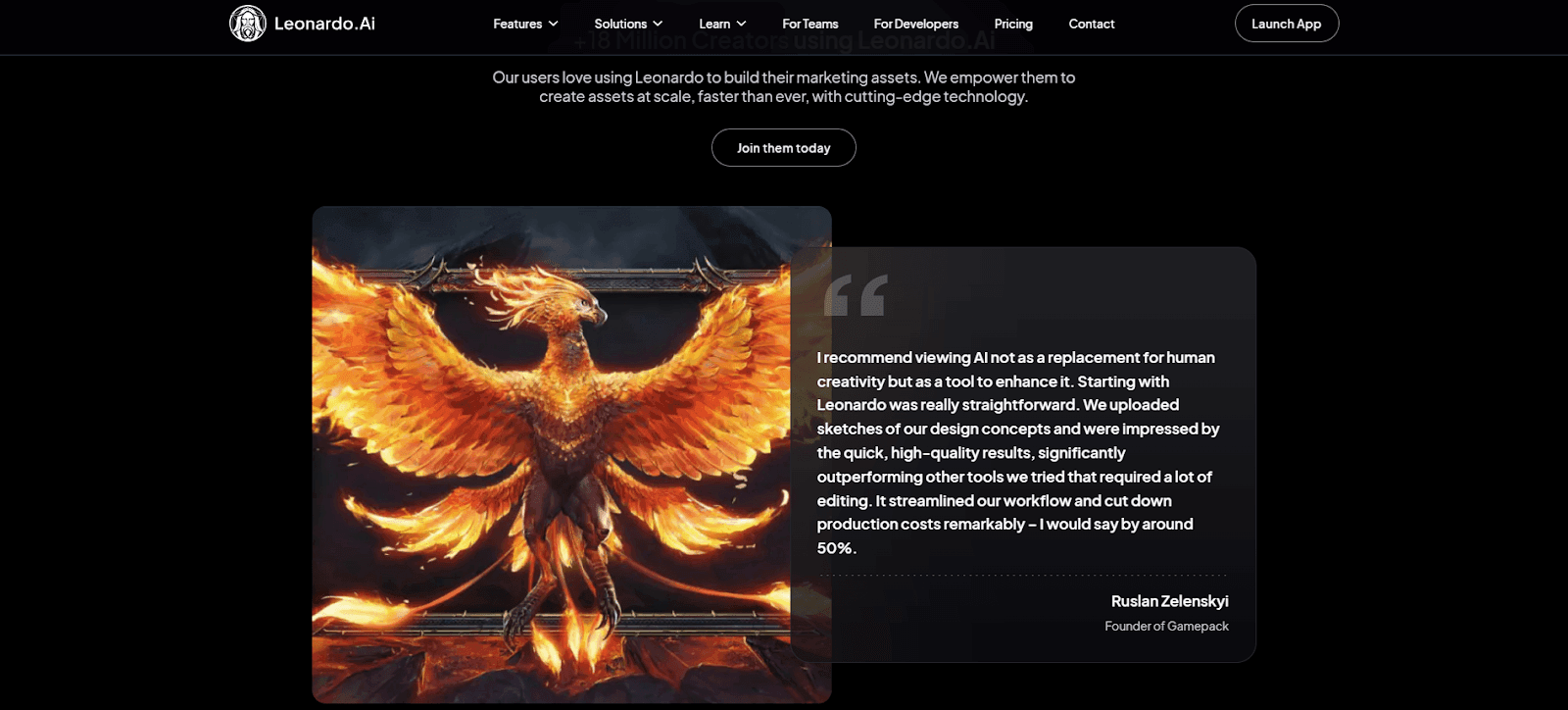
Leonardo.AI is the tool I reach for when the visuals have to look amazing. The image quality is on another level — rich, detailed, artistic. I once used it to build mood boards for a luxury brand campaign, and the client didn’t care that I manually assembled everything. The images alone sold the concept.
Just keep expectations realistic: Leonardo isn’t a storyboard generator. It’s an image generator you can use for storyboarding if you’re willing to do the layout work yourself. No automatic breakdowns, no scene intelligence, no shot planning. But if your priority is stunning visuals rather than streamlined workflow, it knocks it out of the park.
Key Features:
- High-quality text-to-image and text-to-video generation
- AI Canvas for inpainting, outpainting, and detailed edits
- Image-to-image transformations and style transfer
- Custom finetuned models for unique, consistent character styles
- Motion tools for basic image-to-video animations
- Upscaling, background removal, and transparency tools
Pros and Cons:
Pros
Produces striking, high-quality visuals
Simple, browser-based interface
Wide variety of models + custom training
Great for concept art, mood boards, and early ideation
Works well for loops and close-up animation tests
Cons
Not designed as a full storyboard generator
Struggles with long sequences and visual consistency
Motion features are basic with limited control
Advanced tools can drain tokens quickly
Often requires polishing before client delivery
Pricing:
- Free: 150 fast tokens per day, public generations.
- Apprentice – $12/month: 8,500 fast tokens + model training.
- Artisan Unlimited – $30/month: Unlimited relaxed image generation, 25,000 fast tokens.
- Maestro Unlimited – $60/month: Unlimited relaxed images + video, 60,000 fast tokens.
- Teams – Custom: Shared tokens, enterprise security, team workspaces.
Comparison Section: The Quick, No-Fluff Breakdown
After testing all these tools, here’s the fast way to decide which AI storyboard generator is actually right for you.
- For Beginners: Start with Boords or Canva Magic Studio. Both are easy, friendly, and won’t make you spiral into existential crisis while you figure things out.
- For Professionals: If you need real cinematic impact, go with DomoAI for that frame-to-video magic or Shai Creative for shot-accurate filmmaking workflows. Clients love when ideas move instead of sitting still.
- For Budget-Friendly Projects: DomoAI’s $6.99/month plan is one of the best deals in AI right now. Canva Magic Studio is great if you’re already paying for Canva anyway.
- For Pure Speed: Katalist.ai is the fastest script-to-storyboard tool I’ve used. StoryboardHero is my go-to when deadlines are unreasonable and caffeine is my personality.
That’s really all you need to choose smartly — no overthinking required.
Tips for Success
Here’s what I learned so you don’t end up wondering why your character suddenly has three hands (yes… it happened).
- Start with a mood board. Give the AI a vibe to follow — tone, lighting, colors, pacing. It’s basically setting the creative GPS before you hit generate.
- Pick your art style early and stick to it. Switching styles mid-project is how you accidentally turn your cast into distant cousins. Lock it in and stay loyal.
- Use “avoid” prompts. Little phrases like avoid warped faces or avoid messy hands fix half the chaos instantly. Underrated but magical.
- Generate clean character references first. Think “passport photos.” These anchor your characters so they don’t randomly age, shrink, or swap noses halfway through.
- Add camera language to every prompt. “Wide establishing shot,” “OTS,” “close-up,” “shot from below.” It instantly makes AI frames feel cinematic instead of random.
- Save every good prompt. When something works, bank it. A small prompt library saves HOURS and keeps everything consistent across scenes.
- Upload references whenever possible. Faces, props, sets — the more grounded your inputs, the less the AI hallucinates. (And trust me… it will hallucinate.)
- Do a lighting pass at the end. Once your sequence is locked, regenerate key shots with stronger lighting cues like soft cinematic lighting. Instant upgrade.
- Break complex scenes into micro-beats. AI handles small, controlled moments beautifully. Throw chaos at it, and it loses the plot. Slice big scenes into steps.
- Label everything. Versions, frames, characters — future you will be SO grateful when a client asks, “Can we go back to version 3B?”
AI storyboards are directional, not Pixar-ready masterpieces. If you need proof, check out how creators enhance static frames using animation tricks inside photo-to-animation workflows. It’s a game changer, especially when you're polishing boards for client review.
FAQS About 10 Best AI Storyboard Generators
Q: Do I need to know how to draw to use AI storyboard generators?
A: Not at all! That's exactly why I fell in love with these tools. I can barely draw stick figures, but I can create professional-looking storyboards. The AI does the drawing; you just need to know what you want to see.
Q: Which AI storyboard generator is best for complete beginners?
A: From my experience testing all of these, I'd start with Boords for traditional storyboarding or Canva Magic Studio if you're already familiar with Canva. Both have intuitive interfaces and great tutorials. DomoAI is also surprisingly beginner-friendly despite its advanced features.
Q: How much time do these AI storyboard generators actually save?
A: In my experience, what used to take me days now takes hours. I've cut my storyboarding time by about 75%. A full storyboard that took a week? Now it's done in an afternoon with time for revisions.
Q: Are AI-generated storyboards good enough for professional use?
A: I use them for client projects all the time. Major studios like Netflix and Lionsgate are using AI in production now. The key is knowing which tools work best for different types of projects and being upfront that these are visualization tools, not final art.
Q: Do these tools work with any type of script?
A: Most work with standard screenplay formats, but I've had varying results with different script styles. Stage plays, novels, and even bullet-point outlines can work with some tweaking. Shai Creative and DomoAI handle non-standard formats particularly well.
Q: What's the biggest downside of AI storyboard generators?
A: Character consistency can be tricky, especially across many scenes. I've learned to work around this by using tools with better consistency features (like Shai Creative or DomoAI) or generating all scenes with the same character in one session.
Q: Can I try these tools before committing?
A: Most offer free trials or free tiers. I always recommend testing with your own project first. Boords, Atlabs, and DomoAI have particularly generous trial options. Some like Canva are free with limitations.
Q: How do I choose between all these AI storyboard generator options?
A: It depends on your needs and budget. For animation and video creation, DomoAI's frames-to-video is unmatched. For team collaboration, go with Boords. For film projects, Shai Creative. For speed, Katalist. I break it down by use case in my comparison section above.
Q: Can AI storyboard generators create videos from storyboards?
A: Most can't, which is why DomoAI's Frames to Video feature is so revolutionary. You upload your storyboard frames and it creates smooth video transitions between them. It's the closest thing to having your storyboards come to life that I've found.
Q: Are AI storyboard generators worth the investment?
A: Absolutely. Even the most expensive options pay for themselves after one or two projects. The time saved, the ability to iterate quickly, and the professional results make them essential tools in my workflow now. Start with a free trial to see if it fits your needs.
The Future of Storyboarding Isn’t Coming. It’s Already Here.
Look, I’ll be honest with you… when I first started using AI storyboard generators, I had that tiny guilty voice whispering, “Wait… is this cheating?”
But here’s what I realized really fast: it’s not replacing your creativity, it’s amplifying it.
These tools take care of the repetitive grunt work so you can stay in your zone of genius and focus on what actually matters — telling unforgettable stories.
And whether you’re a solo creator pitching your very first concept or a seasoned pro trying to shave hours off your workflow, there’s an AI storyboard generator here that'll change how you work.
Test the free trials, mix and match tools, break things, try again… you’ll be shocked how much smoother your process becomes.
Because the future of visual storytelling? It’s not five years away. It’s happening right now — and you get to be part of the first wave.
Go make something incredible.