

Whether you want to hop to TikTok challenges as a cartoon character with a golden fish face or create a viral meme, Viggle AI makes it happen. You may, however, hit dead ends if you want to customize your videos, upscale your video resolution to 4K, or create long-form videos.
The good news is that there are many other excellent Viggle AI alternatives, such as DomoAI, that allow you to have fun creating your imaginative videos and the freedom to refine them.
If your ambition extends beyond fun, quick creations, this guide will help you discover your next fantastic tool. One that fits your style and allows you to scale your creativity.
TL;DR - Viggle AI Alternatives
Before we dive deeper, here’s a list of the top alternatives to Viggle AI:
- DomoAI
- Kling AI
- Kirkey AI
- Pika Labs
- Runway ML
- Kaiber AI
- Heygen AI
- Arting AI
- Steve AI
- Synthesia
We will discuss all these in detail in a bit. But before that, let’s discuss a few things about Viggle AI.
What is Viggle AI, and Why Do Users Seek Alternatives?
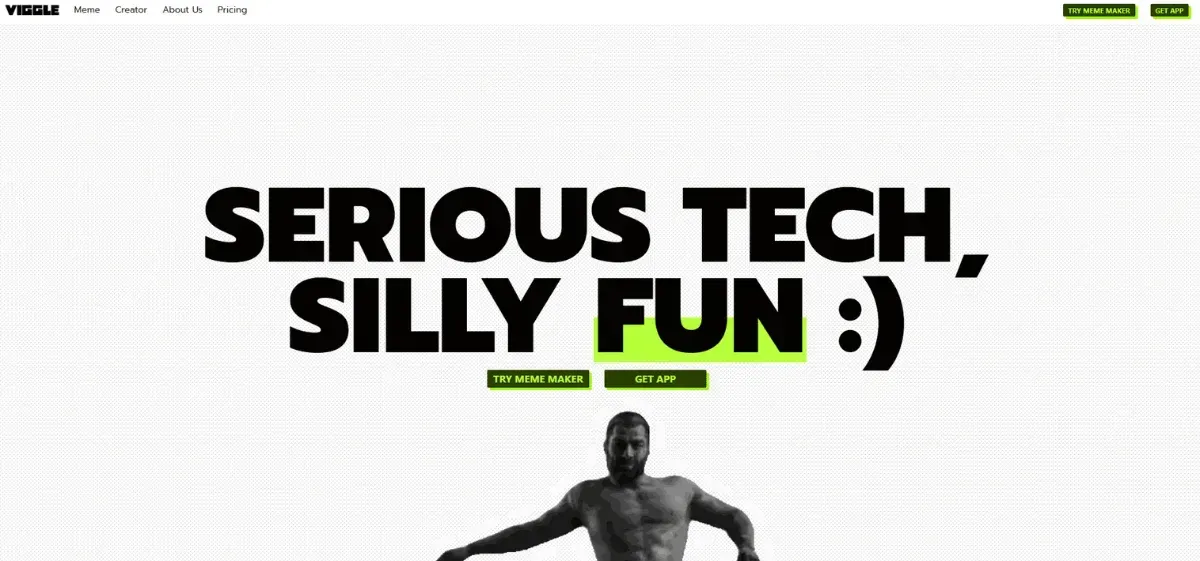
Viggle AI is among the popular AI video generators that enable you to transform a static character into an animated video with just a few clicks. The tool relies on JST-1, a sophisticated 3D foundation model, to make the visuals and motions of your video appear more realistic.
Thanks to its tools, you can:
- Analyze the motions in your reference video, whether built-in templates or your uploaded clips, and apply them to your still image.
- Generate trending dance videos.
- Create realistic face swaps and animate your photos — with no complex animation skills required.
However, most users seek alternatives due to several limitations that we will examine in the following sections.
Key Features of Viggle AI
What makes this tool a popular option for YouTube Shorts, TikTok trends, and Instagram Reels?
These are the features that stand out:
- The Background: The green screen feature, also known as chroma keying, allows you to swap the video background, resulting in more polished visuals.
- Motion Transfer: Viggle AI borrows a character's motion from an uploaded video or a built-in template and transfers it to a still image. As a content creator, you can use it to recreate trending TikTok dance clips featuring different characters.
- Mix: You can swap out existing characters in your reference video and replace them with an image or a character of your choice.
- Move: You can manipulate your character's movement to match that of your reference video.
- Live: You can create an interactive experience for your livestreams through real-time transformation. For instance, you may activate your webcam, pick a character, then dance on camera, and Viggle AI will automatically map your movements to the character.
Major Limitations that Drive Users to Alternatives
Although Viggle AI has impressive features, creators tend to look for tools with a more straightforward interface and 2K/4K quality.
Here are some limitations you might notice with Viggle AI:
- Lacks Upscaling Resolution Feature: You need 2K and 4K to achieve detailed, crisp visuals that immerse your audience in your content or keep them scrolling. With Viggle AI, you can only achieve 1080p resolution output.
- Has Limited Customization Options: Viggle AI can help you blend in your preferred character(s) or photo(s) into a video clip. However, you cannot change your character's overall looks or styles within the Viggle AI app. You’ve to rely on third-party apps. Unlike Viggle AI, DomoAI lets you customize your projects to meet your specific needs without limitations.
- Has Motion Issues: Accurate motion transfer is what makes video generation fun. However, most users reported that Viggle AI has difficulties in interpreting reference videos with complex scenes or fast-moving characters, which makes the visuals jittery.
Top 10 Viggle AI Alternatives for AI Animation
If you’re looking to overcome these challenges and limitations, there are various alternatives that you can use for creating AI images and animations.
Let’s look at them below:
| Tool | Pros | Cons | Pricing | Best For |
|---|---|---|---|---|
| DomoAI | - Advanced editing features - Intuitive Interface - 30+ creative styles - Flexible subscription - Full content ownership for commercial users - Access a top 10 global Discord community to get inspiration - Very cost-effective for professional creators | Might need a paid version to enjoy unlimited generations in the Relax Mode | - Tiered - Starting at $9.99 per month | Creatives and professionals looking for a one-stop shop for all your AI creative needs, from video upscaling to talking avatars. |
| Krikey AI | - Easy-to-use interface - Offers an immersive AR experience to Android and iOS users - Allows the generation of custom animations in minutes - Voice-driven animation | - Animation quality is basic - Limited pro features compared to most of its competitors | Tiered pricing, starting at $14.99 | Indie Animators and Gamers |
| Pika AI | - Bunch of templates - Video generation in 1-1.5 minutes - Text and image inputs - User-friendly interface | - Too basic for creative users - Less lifelike videos | - Tiered plan - Subscription - Starts at $8 | Professional marketers and content creators |
| Runway ML | - Offers control, consistency - Real-life collaboration - Advanced editing and camera control tools | - Field knowledge required to use advanced features - Can be resource-intensive | Starts at $12/month | Professional content creators, designers, and marketers |
| Kaiber AI | - Customizable animations - Versatile - Allows boost creativity - High-quality visuals- upscaling up to 4k - Allows customization | - Can be costly for commercial or professional projects ( charges for drafts, previews, & upscaling) - Inconsistent output - Complex for beginners | Starts at $29 per month( for 1’400 credits) | Anyone looking to create dynamic content quickly |
| HeyGen | - Supports 175+ languages - Allows customization - Wide range of high-quality voice library - Supports voice cloning - Enables background editing - Offers a well-automated and integrated workflow - Can use own video for motion reference | - Watermark downloads with the Heygen AI logo - English-only support is available on the free plan | Paid plan starter subscription of $24-29 | Trainers, marketers, product reviewers & social media content creators (LinkedIn) |
| Arting AI | - User-friendly interface, Unlimited creations - Offers celebrity voice-overs | - Inconsistent output - No monthly subscription | It's free | Artists, designers, and individuals looking to customize their social media content |
| Steve AI | - Seamless integration - Supports wide range of resolutions ( 720p, 1080p, 2k &4K) - Library of animated templates - User-friendly interface | - Customization limits for branded or niche-specific projects - Short generative credit duration (120 seconds duration is way short for a $19 & $39 monthly subscription) - Steep costs for 2k & 4k resolution plans | Starter subscription at $19 | Digital marketers, content strategists, and content creators |
| Kling AI | - High-quality camera movements - User-friendly interface - Free credits for experimenting - Excellent integration | - Hand and finger rendering issues - Occasional distortions - Struggles with complex interactions (physical) | Starter subscription -$6.60 per month | Writers, marketers, and developers |
| Synthesia | - Studio-quality output - Make talking avatars in 140+ languages - Translates videos to 29+ languages - Easy to use | - Lacks real-time generation - Built for enterprises | Strater plan $29 per month | Corporations, team trainers |
Features Comparison of Apps Like Viggle AI
Now, let's compare the above tools side by side and see how they perform in motion transfer, resolution, video length, and editing capabilities:
| App | Motion Transfer | Resolution/Video length | Built-In Editor & Effects |
|---|---|---|---|
| DomoAI | Full body | Max 4k, 30 sec | Smart tool for deep editing, including motion control, style reference, upscaling, background removal, and lip-sync. |
| Krikey AI | Full body | Max 4k, 30 sec | Movement control, background replacement, Lip-sync, and camera angle adjustment and scene management |
| Pika AI | Full body/ specific part | Max 1080, 25 sec | Visual and voice edits, movement management, lip-sync, object and background replacement |
| Runway ML | Specific part | 4k, 30 sec | Object and background removal, color changing, scene layering, etc |
| Kaiber AI | Selective parts | Up to 4k , max 8 mins | Movement, visual, audio, scene, and style management |
| Heygen | Talking head | Max 4k, 30 mins | Helps you write scripts, input text overlays, brand details, change background, modify the scenes, control characters' gestures, and voice |
| Arting AI | Full body | Max 4k, 10 mins | Basic that lets you include text overlays, enhance the visuals |
| Steve AI | N/A | Max 4k, 20 mins | Voice, scene, text, and timeline edits |
| Kling AI | Full body / selected part | Max 4k, 3 mins | Limited editing capabilities, users rely more on third-party apps |
| Synthesia AI | Talking head | Max 4k, 360 mins | Enables scene management, scripting, captioning, voiceovers, and branding. |
How to Choose the Right Viggle AI Alternative Based on Your Needs
Every Viggle AI alternative has unique capabilities. Your content or project should determine which tool is right for you entirely.
Here’s what you should consider:
For Social Media Content and Meme Creation
As a social media content creator, you need a tool that:
- Requires minimal technical knowledge to generate high-quality, trendy content.
- Generates content quickly to keep your audience engaged with your brand throughout the day.
- Let's you create content at a cost-effective rate.
DomoAI AI quick apps help you create high-quality YouTube Shorts, Instagram Reels, and TikTok memes from its extensive library of 30+ styles. Additionally, with our 24/7 customer support, you can achieve real-time assistance in the event of any challenges.
For Professional Marketing and Brand Content
As a professional marketer or brand manager, you can’t compromise on customization, quality, and data protection.
So, you should have a tool that:
- Export your videos without watermarks.
- Showcase your brand logo, colors, products or services, and core values.
- Features advanced editing capabilities, including the ability to edit scenes, change voiceovers, adjust character movement, and position.
- Has rendering speed and ease of use.
DomoAI is more creative at producing talking avatars and cinematic ads, even from your existing video footage. Our tool also excels at creating marketing explainers with matching AI lip-synced video.
For Creative Projects and Artistic Expression
Creative projects require a high level of control over motion, lighting, camera angles, and color in your videos.
Creativity and flexibility are key here, and you should consider a tool that:
- Helps achieve high output quality and resolutions up to 2K/4 K.
- Support text-to-video and image-to-video features with a wide range of styles.
- Tell your story, offer customization options, and provide watermark-free exports.
Most project managers prefer DomoAI because it supports up to 4K video resolution. Our tool supports advanced AI tools, including AI video style transfer and background removal.
For Budget-Conscious Creators
As a budget-conscious creator, you want an AI generator with:
- A free plan or trial to evaluate the tool.
- Transparent pricing with no hidden costs.
- A starter subscription plan to scale up your creation.
Most of these tools on our list offer a free plan, but the content is watermarked.
With DomoAI, you can start creating for free. You can also upgrade to our pro plans for just $9.99 per month.

Why is DomoAI the Best Viggle AI Alternative?
DomoAI stands out not just as another AI video generator but as a powerful AI animation all-in-one platform for videos and images.
The main draw is its capabilities, which transform how you create and manage your animated clips. Check out some of our tools’ highlights:
1. Reliable Support
DomoAI's customer support team is as responsive as its interface. You'll have a seamless experience creating your videos, even during peak traffic.
On the contrary, Viggle AI tends to freeze during clip downloads. Most users have reported slow generation during peak hours.
2. Creator Experience
DomoAI’s interface is straightforward to navigate and use, even with no animation background. All you need to do is upload your files, customize or edit them, preview, and then download your final AI creations.
Nothing complex, you enjoy seamless interaction with the interface.
On the other hand, Viggle AI is built around a Discord server, so users interact with it via commands. If you’re a beginner or lack experience interacting with Discord bots, you can find this to be challenging.
Besides, with Viggle AI, you don’t have a dedicated dashboard. So, it’s hard to track your past prompts. Not to mention, every change you make requires a new command, and bots take time to respond.
3. 4k Resolutions
Viggle AI and most of its alternatives cap at 1080p, while the DomoAI video upscaler can enhance your project's output to 4K resolution.
Ideally, this makes your videos look more professional. If you're aiming for a promotional campaign with 4K, you can be sure your content will be highly optimized on TikTok and Instagram.
4. A Complete Workflow Solution
Most alternatives require users to switch between tools and rely on third-party apps to fine-tune their projects.
DomoAI eliminates this hassle. It features a comprehensive suite of tools that let you create, transform, edit, customize, upscale, and export your polished projects in one place.
5. Seamless Audio and Lip-sync
When it comes to synchronizing lip movement and audio, DomoAI has proven more accurate.
Thanks to tools, including Talking Avatar and Lip-sync functions, that ensure your animated characters' mouth movements are natural and the audio matches the uploaded script accurately.
Unfortunately, other Viggle AI alternatives have traded speed for accuracy. Some have no lip synchronization, and in others, the audio is shaky.
6. Data Privacy and Ownership
Unlike Viggle AI, where your data is publicly available on Discord, DomoAI assures its users that their data is secure.
Our privacy policy states that your files and content are privately associated with your specific account. We also operate within a multi-layered data protection framework.
You can have peace of mind as an organization, knowing that your information is confidential. We also have robust authentication protocols in place, and your data is 100% secure.
Want to bring your ideas to life with all these features? Start creating for free with DomoAI today.
Frequently Asked Questions (FAQs)
Here are some of the questions that most users tend to ask about AI alternatives to Viggle:
Are There Free Alternatives to Viggle AI?
Yes, some of these alternatives have a free plan.
For instance, with Kling AI, you have a free plan that allows you to generate 5 images and 1 video per month, each at standard output resolution. However, your AI visuals will include a watermark.
The DomoAI starter plan is a better alternative. With just $9.99, you get watermark-free content, 500 credits, 30 videos a month, and access to 30+ styles. Better yet, you can start creating for free.
Which Viggle AI Alternative Offers the Most Realistic Animation?
DomoAI offers more realistic animation, which is why it's a preferred tool by creatives and businesses.
- Our tool maps the physical appearance of your input image or video.
- It generates detailed visuals by refining every detail to ensure a smooth transition and a realistic appearance.
- You can be assured that our AI-generated videos and animations won’t have glitches, as our tool ensures smooth, consistent movement.
- We utilize advanced AI technology to precisely guide and fine-tune the characters' movements, including lip-syncing and sound generation.
How Secure are Viggle AI Alternatives for Personal Use?
Unlike Viggle AI, where everything you share is accessible in the public channels, most of the Viggle AI alternatives on our list keep your information confidential.
For example, DomoAI, Runway ML, Kling AI, Kaiber AI, Heygen AI, and Steve AI offer a personal workspace linked to your personal account, where all your projects are stored and accessible only to you.
Can I Use Viggle AI Alternatives Without Watermarks?
Yes, if you're looking for an alternative that does not include a watermark on its free plan, you can try Runway ML.
For most tools, you'll need to subscribe to download a watermark-free output.
Conclusion
Viggle AI has excellent features, but it can be limiting for professional content creators due to its 7-second clip length and 1080p resolution cap. Additionally, the Discord interface can be a nuisance, and there’s a growing concern that videos become jittery.
However, you now have 10 alternatives with varying strengths, ranging from high-resolution, long-form video output to high-motion accuracy and reliable editing features.
If you’re, however, looking for the best overall alternative to Viggle AI, DomoAI wins. Here’s why:
You can create professional-grade 30-second videos at up to 4 K resolution. Besides, you get full ownership of commercial-generated content. Experiment with over 30 unique styles to enhance your creativity.
What’s more? You can customize the style, movement, and facial expressions of your video characters to match your reference image or video.
It's time to scale up your AI generator — enjoy creating unlimited AI videos with DomoAI.


