

Artificial Intelligence (AI) has become the new-age co-creator. With AI, you can now accomplish any task at a fraction of the time you previously would, while maintaining quality, and that includes generating images.
Midjourney, Leonardo.Ai, and DomoAI are top AI visual generators you can bank on to produce images in a jiffy. The three tools have impressive features and capabilities that open the door for anyone with a concept to bring it vividly to life.
Let’s dive into what makes each AI art tool tick — and which one actually fits your creative style.
TL;DR - Midjourney vs. Leonardo.Ai vs. DomoAI
Short on time?
Here’s the showdown: Midjourney vs. Leonardo vs. DomoAI — who wins where?
| Midjourney | Leonardo.Ai | DomoAI | |
|---|---|---|---|
| Pros | - Produces rich, detailed images - Speedy creation with high-quality output - Strong community appeal across its Discord community | - Comprehensive free trial - Supports the creation of different image styles - Allows corporate productivity with its dedicated team plan that allows a shared workplace, permission controls, and SOC2 compliance | - Intuitive interface to simplify content creation - Collaborate with a Discord community that has grown to over 3 million users since 2023 - Generates and stylizes visuals within seconds - Provides access to different generation tools, including background removal, lip syncing, upscaling, and anime-style filters |
| Cons | No free trial and requires a paid subscription for access | Video generation is only available in the top paid tiers, which cost $60 per month | You may require a paid subscription for heavy usage |
| Best for | Creative professionals and hobbyists who want striking visuals with minimal setup | Creatives, teams, and creators who need collaboration in AI creations | Creators, professionals, and business owners looking for affordable animation and video solutions |
We’ve already seen where Leornado and Midjourney stand out, but if you want an all-in-one platform, DomoAI is the best option.
DomoAI goes beyond image generation, letting you add anime filters, create lip-sync, support style transfers, and upscale your files.
Unlock your free demo today to start animating your own scene.
What is DomoAI?
DomoAI is a leading AI-powered creative platform for generating animations, images, and videos.
Our platform allows you to create visuals in more than 30 styles from simple text prompts, reference images, or existing video footage.
It produces high-quality, professional-level visuals for personal creativity or professional projects, whether you use templates or feed it advanced customizations.
DomoAI boasts some intuitive features that make it the best AI creative platform for hobbyists, YouTubers, and small business owners alike.
How to Use DomoAI
The DomoAI app features an interactive user interface that makes it usable for everyone, regardless of artistic skill level.
And here’s how to effectively use DomoAI for AI image animation:
Step 1: Create a DomoAI Account
Head to the DomoAI website and create an account using your Google or Discord account. At this stage, you also have to consent that you’re above 18 years old.
Step 2: Select the Right DomoAI Tool
As mentioned, DomoAI has various image-to-video tools. Here’s a guide to what app to pick when:
- Image-to-Video AI Generator: Upload existing photos and watch our tool add motion to the characters and objects.
- AI Video Style Transfer: Use this tool to apply various artistic styles to your existing video footage.
- AI Video Upscaler: You can use DomoAI professional editing to enhance your video resolution to 4K and improve the video quality.
We have other mini AI apps you can try, including a talking avatar, text-to-speech, and a 2.5D cartoon video.
Step 3: Enter Your Inputs
Enter the appropriate input to generate your desired creations. You can combine text, video, and images to make details clearer and ensure we deliver high-quality results.
You should also adjust settings on the DomoAI app, apply customizations, and experiment with creative presets, motion effects, and filters.
Step 4: Generate Content
Once your input is clear on the kind of creative visual you want, click submit to start generating the results. We process your creations within seconds to ensure efficiency and productivity.
Take some time to review the results and make necessary adjustments to ensure they align with your expectations. Then you can save and download the version you love most.
Step 5: Download Projects
We ensure easy access and use of your DomoAI creations with the app's download feature. You can also export your projects directly to social media and use our storage features to manage previous projects.
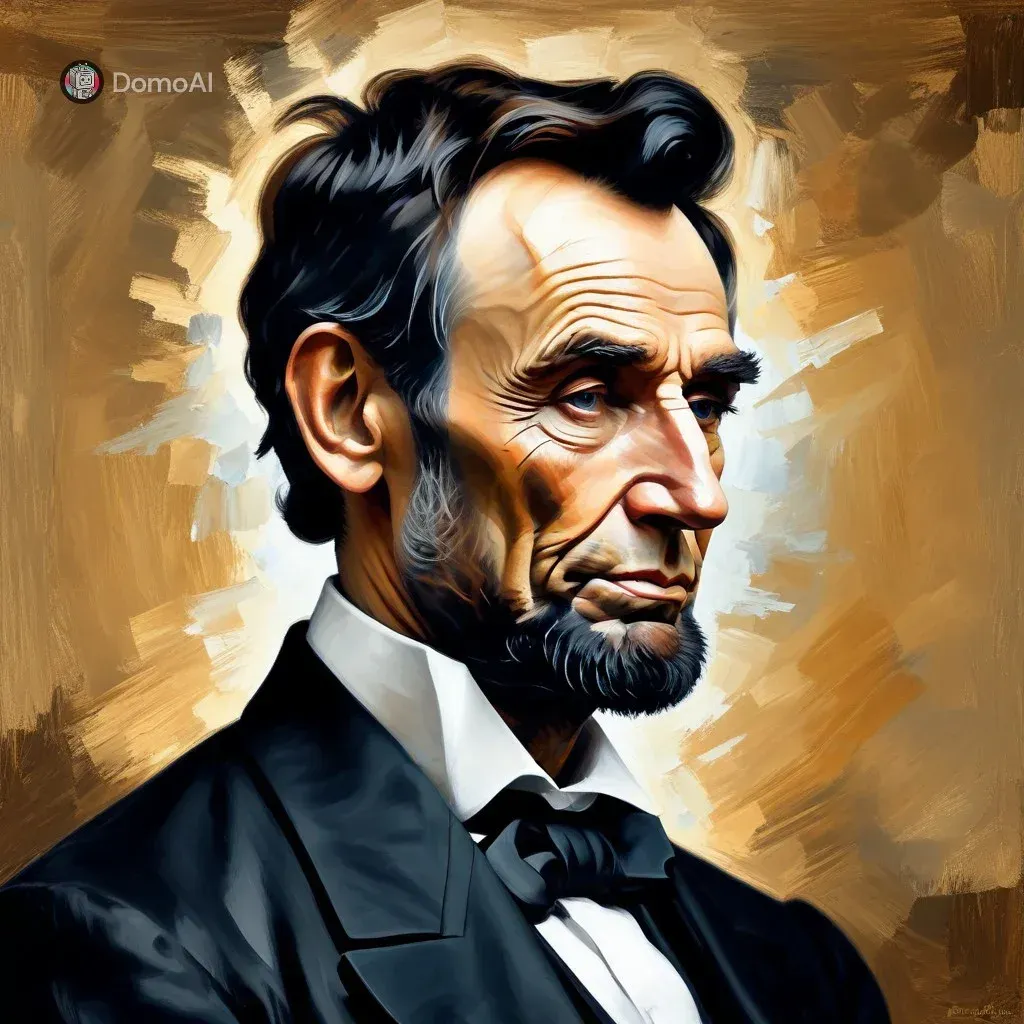
Here’s DomoAI in action, creating an AI image using this prompt: Impasto painting of Abraham Lincoln, with heavy strokes, elegant, digital, textured, and unforgettable.
How Much Is DomoAI?
DomoAI is more affordable than other alternative AI image generation tools.
For starters, we have the DomoAI Free, which provides basic access to most tools, including a limited DomoAI generator.
Our pricing plans include:
- Basic plan: Starting at $9.99 per month, you can create up to 500 images and 100 videos. This plan offers standard DomoAI apps and the DomoAI art generator. Your creations come without a watermark and with access to all styles.
- Pro plan: Starting at $19.59 monthly, you can create up to 1,500 images and 300 videos. You also unlock the relax mode, which means unlimited generations without credits and access to all styles with regular updates.
- Pro plan: Starting at $48.99 per month, you get 4,000 credits and unlock the full features of the DomoAI generator, premium support, and extended DomoAI login.
Is DomoAI Worth It?
Yes!
DomoAI is absolutely worth it for both beginner and experienced designers.
Our tool gives you creative freedom without the tech headache — fast, fun, and fully in your control. The intuitive interface of DomoAI allows you to create and transform visuals across diverse artistic styles in minimal time. Besides, you can create unlimited generations in Relax mode.
The best part? Your AI visuals are 4K, ultra-high-quality outputs, ready for use.
Our AI tool also stands out as one of the most affordable options compared to alternatives like Midjourney and Leonardo. AI, with plans starting at $9.99 per month.
Try it now to animate your first video in minutes.
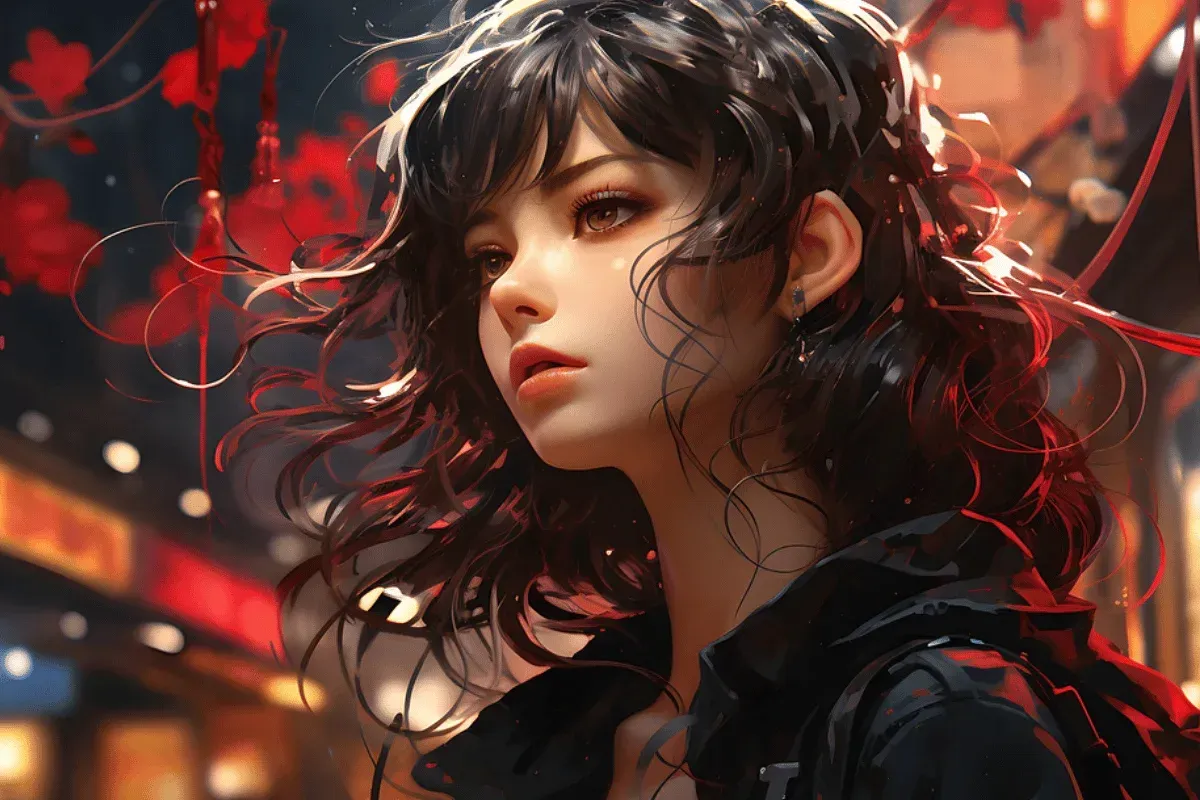
What is Midjourney AI?
Midjourney is a popular AI image generator available as a Discord text-to-image bot.
Unlike DomoAI, which offers extensive features such as lip-syncing, Midjourney can be used to brainstorm concepts and generate quick visual ideas in various styles.
The platform is powered by machine learning models that deliver super-fast processing speeds and allow you to iterate on the final, rich, imaginative visuals.
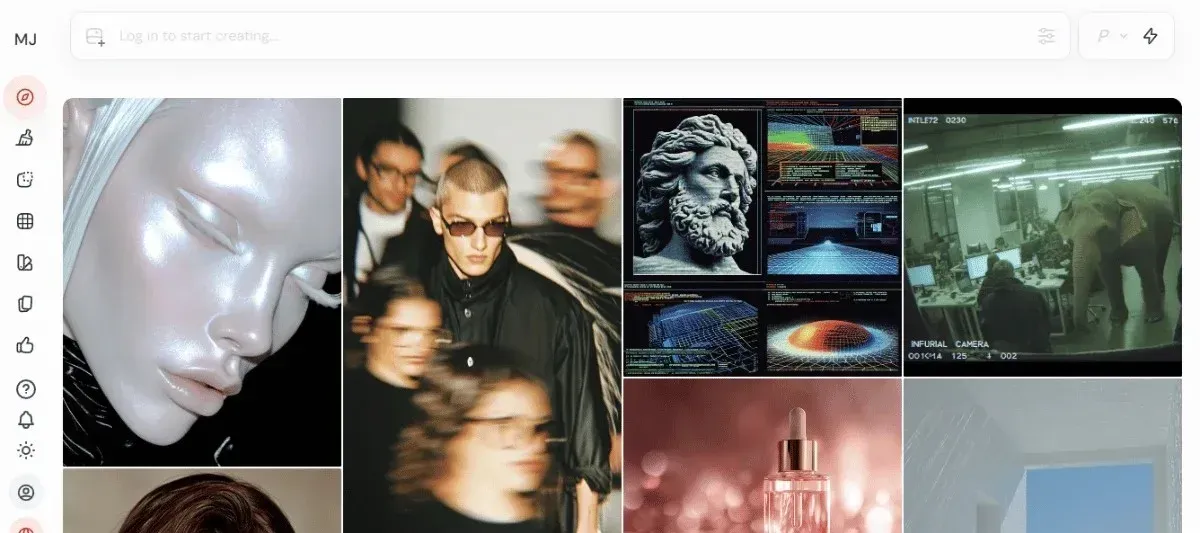
How to Use MidJourney
Midjourney AI, unlike other AI-powered image generators, is not run on its own independent app.
Instead, users access it from Discord, the free gaming communication platform.
So, how do you use Midjourney AI to generate images? Here’s a simple step-by-step process:
Step 1: Set Up an Account
Go to the Midjourney website and register for a new account. You can either sign up with your Google account or use your Discord account.
Unfortunately, there is no free Midjourney plan, and you must complete payment before you can start generating images on the platform.
Step 2: Start Creating Images
Once you have a working Midjourney subscription, you can start generating images.
You can write clear, detailed prompts to generate artistic, stylized images.
Step 3: Wait for Your Images to Generate
Midjourney produces at least four stunning visuals for every input in under a minute. Once these are ready, you can view and review them. You can then refine the output or regenerate new ones accordingly.
The images also include a U (Upscale) and V (Variation) button, which you can use to generate different versions of an image with minor changes.
Step 4: Download Your Images
When you’re content with the results, you can simply press and hold to download on mobile or Save Image As on desktop.
Let’s see Midjourney in context. Here is an AI image generated by a Redditor r/Tr0janP0ny on Midjourney using the prompt: Grand Theft Auto: Vatican City.
How Much is Midjourney?
Midjourney is a subscription-based AI image generation platform with various plans:
- Basic plan: For $10 per month, you get 3.3 hours of fast GPU time.
- Standard plan: For $30 per month, you unlock unlimited Relaxed mode and 15 hours of fast GPU time.
- Pro plan: For $60 per month, you gain access to Relaxed mode, Stealth mode, and 30 hours of fast GPU time.
- Mega plan: For $120 per month, you get access to unlimited Relaxed mode, Stealth mode, and 60 hours of fast GPU time.
Is Midjourney Worth It?
Midjourney might be worth it if you’re looking for high-quality visuals that you can use commercially.
However, it’s pretty expensive, and the interface isn't the most accessible, especially for beginner creatives.
Let’s see Midjourney in context. Here is an AI image generated by a Redditor r/Tr0janP0ny on Midjourney using the prompt: Grand Theft Auto: Vatican City
What is Leonardo.Ai?
Leonardo.Ai is among the best Midjourney AI alternatives for AI images, videos, and animations.
It’s an AI-powered image generator available on both the Play Store and the App Store. It’s designed to help you create images at scale, lightning-fast.
It’s more effective than Midjourney at interpreting prompts and delivering more precise results.
They take pride in their ability to generate images within 10 to 20 seconds. Leonardo.Ai has an intuitive software that makes it usable for creators, game developers, marketers, and developers, and enables collaboration among teams.
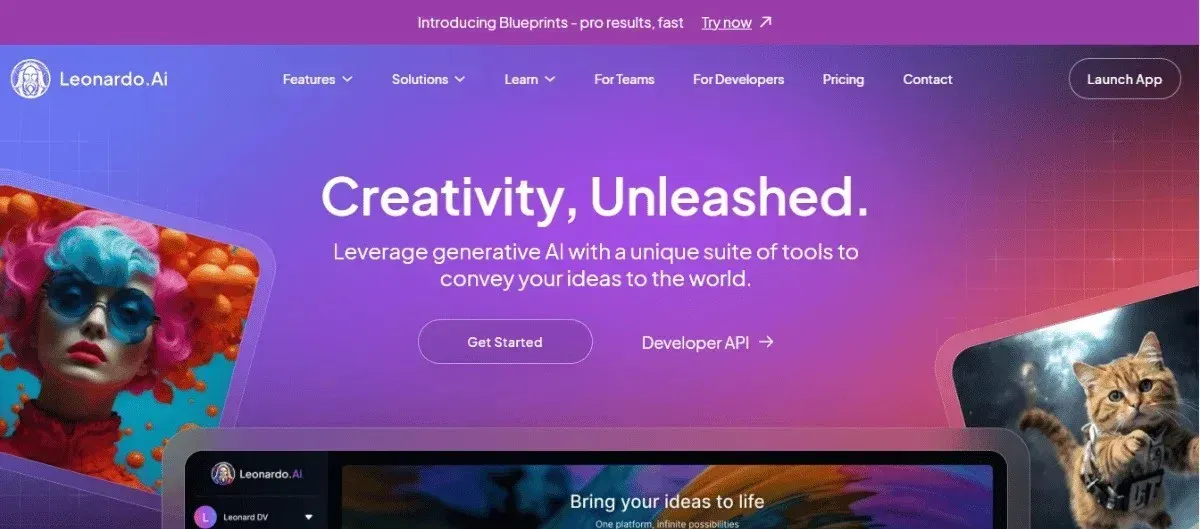
How to Use Leonardo.Ai?
Here’s a clear step-by-step guide for how to use Leonardo.Ai to generate images:
Step 1: Create an Account
You start by creating a free Leonardo.Ai account on the official website.
Signing up using your email, Discord, or Google account provides you access to the Leonardo.Ai dashboard and automatically activates free tokens to use for your first few projects.
Step 2: Type a Prompt
Like Midjourney, Leonardo.Ai also lets you enter text prompts. Write an effective AI image prompt by typing in detailed instructions in the prompt box. You can use negative prompts to exclude unwanted details.
Remember, you can also create videos and animations on the platforms.
Step 3: Generate the Image
Before you click generate, you can adjust settings such as aspect ratio, resolution, and the number of images. Then create the image, ready to view, save, upscale, and download.
If you need fast, high-quality images, you can upgrade to the premium plans.
Step 4: Download the Image
Once your image is ready, you can view it, save it to favorites, upscale it, or download it. Leonardo.AI says users retain ownership rights, meaning you can confidently use your creation commercially.
A DomoAI account allows you to save your content, redownload, upscale, and regenerate previous output.
You can also save your settings and customizations to ensure you produce consistent results in the long term.
Let’s see an example of an AI-generated image using Leornado.AI with this prompt: Impasto painting of George Washington, heavy strokes, elegant, digital painting, textured, and unforgettable.

How Much Is Leonardo.Ai?
Leonardo.Ai gives you immediate access to the free plan when you sign up, which includes 150 free tokens per day, presets for easy image creation, and basic quality settings. Sadly, all images are public.
However, you’ll have to pay for any post-generation editing tools. Leonardo.Ai subscriptions will cost you:
- Apprentice: For $10 a month, you get 8,500 fast tokens, the ability to train 10 personal AI models, enhanced quality generation, and unlimited collections.
- Artisan Unlimited: For $25 a month, unlock 25,000 fast tokens, unlimited image generation, private collections, and the ability to purchase top-up tokens.
- Maestro Unlimited: For $48 a month, unlock 60,000 fast tokens, unlimited image and video generation, 180,000 backup tokens, and unlimited Ultra generations.
You can also subscribe to Leonardo.AI for Teams at a custom price to unlock a shared fast pool and unlimited generation for all members.
Is Leonardo.Ai Worth It?
Leonardo.Ai may be worth it for creators looking for high-quality visuals for marketing, design, game dev, and concept art.
However, you’ll have to pay for access to the premium tools, which isn't ideal for beginner creatives or casual users looking to create occasional fun images.

Relevant Characteristics Between Midjourney, Leonardo.Ai, and DomoAI
Here’s a quick comparison to help you understand the three tools:
| Characteristics | Midjourney | Leonardo.Ai | DomoAI |
|---|---|---|---|
| Output Quality | Great for stylized, more than realistic images | Strong in realistic or polished art and concept art | Very high-quality visuals with up to 2k/4k resolution |
| Customization and Control | Reasonable prompt-level control but limited editing flexibility | Reasonable editing control and model customization | Offers complete creative control over style, movement, and tone |
| Ease of Use | Requires access through Discord | User-friendly web interface | Most interactive and easy-to-use interface of the three |
| Integration and Platform Access | Limited integrations | Web-based but integrates with design workflows | Web and mobile access, with video-friendly integrations |
| Pricing Model | No free plan with subscription tiers | Freemiums with token-based usage | Free tier available with generous limits |
| Use Cases (Art, Design, Video, etc.) | Best for digital art and concept design | Ideal for illustrators, designers, and game artists | Creators who want to blend art, design, and video |
| Output Formats Supported | Primarily produces static images | Supports static images and motion video clips | Supports images, videos, and animations |
| Speed of Generation | Slower for high-quality image generation | Quick, depending on resolution and tokens | Generates images, videos, and animations in seconds |
| Style Variety and Realism | Artistic, abstract, or stylized | Balanced realism and creative styles | Wide variety of artistic styles, including 3D cartoon, paper art, and Japanese anime |
| Community and Collaboration Features | Strong Discord-based community | Growing creative hub and shared models | Built-in collaboration tool for sharing visuals and creating tasks from conversations |
Similarities and Differences
These AI-powered visual generation tools have significant similarities and differences, as shown below:
Midjourney, Leonardo.Ai, and DomoAI Differences
One of the most fundamental differences is in the features they offer.
Let's check out how these three platforms differ:
- Platform access: DomoAI is a fully hosted web app, Leonardo.AI operates via a dedicated web interface, and Midjourney runs entirely on Discord.
- Ideal Use: DomoAI is an all-in-one creative suite that lets you convert motion or static visuals into video and style existing videos. The other two are primarily geared toward generating still imagery from text prompts.
- Key Features: Midjourney and Leornado.AI offer text-to-image generation and support video creation. DomoAI, on the other hand, boasts features such as lip-syncing, character animation, and a voice avatar.
Midjourney, Leonardo.Ai, and DomoAI Similarities
Midjourney, Leonardo.Ai, and DomoAI are similar in several ways. All three:
- They are AI-powered image generators.
- They all support text-to-image generation.
- They support a wide range of artistic styles
- All platforms can generate images, videos, and animations
- They support high-speed processing and generation
- They’re in an ongoing development mode, with constant updates and active feature expansion.
Bottom Line
While Midjourney, Leonardo.Ai, and DomoAI produce speedy, high-quality visuals with minimal prompting, they’re not equal.
DomoAI stands out among the three thanks to its user-friendly interface, motion-focused capabilities, and ability to transform static images into dynamic, animated videos.
Midjourney and Leonardo.AI excel at creating static images, but with DomoAI, you can go a step further and transform photos into animated videos and lip-syncs.
Get started for free to create high-quality images and animated videos in minutes.
Frequently Asked Questions (FAQs)
Here are some answers to some commonly asked questions about DomoAI.
Can DomoAI Be Used to Turn Images Into Animated Videos?
Yes.
DomoAI converts images into animated videos using its image-to-video feature.
Simply upload a photo or static image with an accompanying text prompt (if necessary), then submit. You can set video duration, aspect ratios, and the kind of motion you want when generating.
Is DomoAI Suitable for Cinematic or Short-Form Video Projects?
Absolutely.
DomoAI is excellent for creating cinematic and short-form videos. The platform lets you add motion to characters in static images using AI. It also supports a lip sync tool and stylized transformations, including anime and 3D cartoons.
Which Platform Is Better for Content Creators: DomoAI or Midjourney?
DomoAI is superior to Midjourney because it’s more versatile and has a more user-friendly interface.
It accepts various inputs and produces a range of outputs, including text, images, videos, and animations.
What Level of Control Does DomoAI Offer Over Video Style and Motion?
DomoAI has different tools to support motion creation. With the image-to-video tool, you upload an image and a text prompt describing the motion you need, then set the duration and aspect ratio.
Alternatively, use the video-to-video tool to upload an existing video, apply one of the 30+ styles, and generate a new video with a text prompt.


