

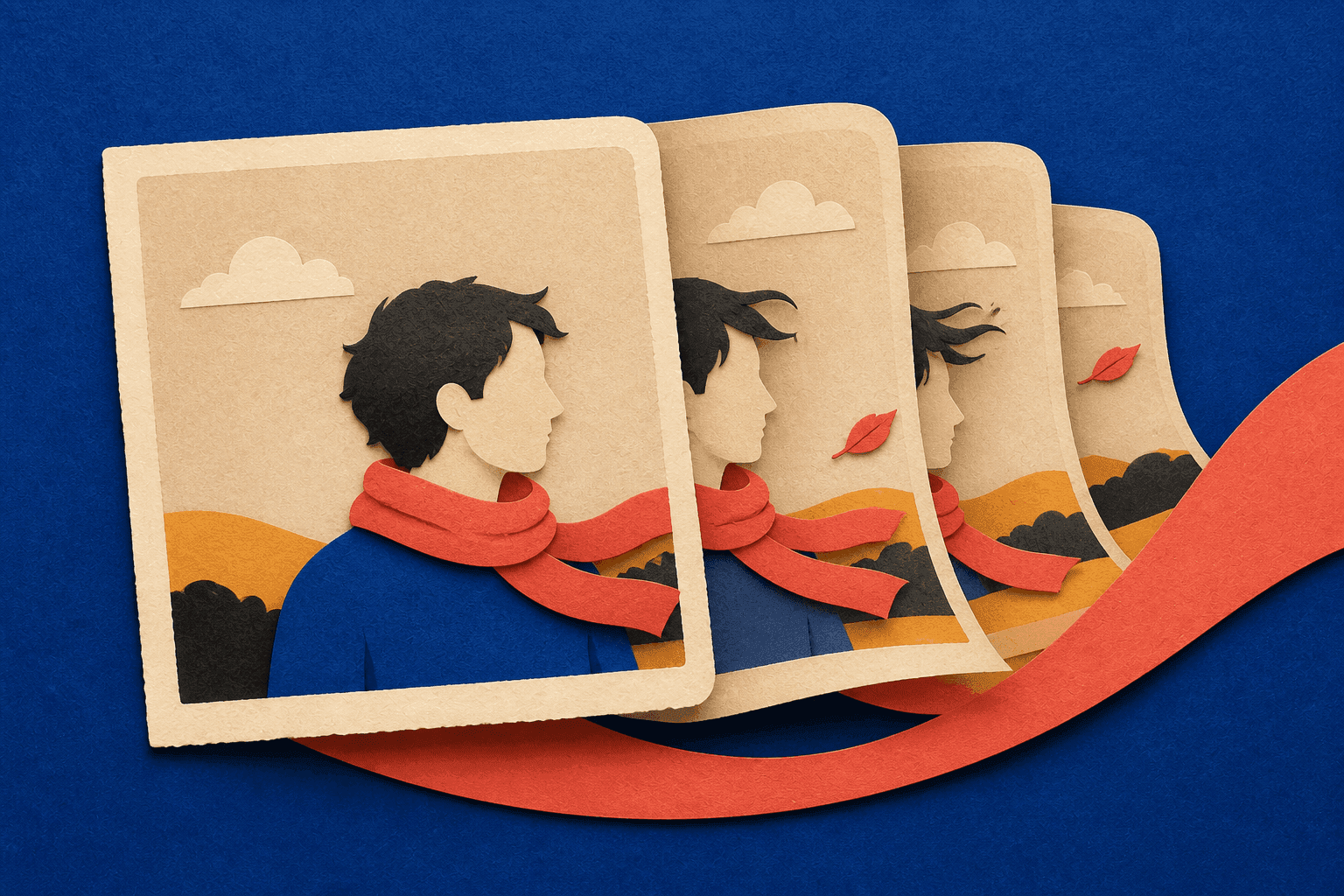
To animate a photo without making the result look strange, start with a clean source and ask for one clear movement. Let the image define the person, setting, and style. Use the prompt mainly to say what moves, how the camera behaves, and what should remain quiet.
This guide explains how to choose the source, control the amount of motion, write the prompt, and fix unwanted changes to the face, hands, objects, or background.
Why Can a Good Photo Turn Into a Strange Video?
A photo shows one instant from one angle. Video needs the next instant, then the one after that. If a person turns, the generator has to create parts of the cheek, jaw, ear, and hair that were not visible before. A sideways camera move must reveal whatever was hidden behind the subject.
Small source problems also become easier to see in motion. Unclear fingers may change shape. A cup that blends into a sleeve may slide. A face hidden by hair may look like a different person when it turns.
The prompt cannot recover details the source never showed. Often, the first fix is to improve the photo or ask it to do less.
Start With a Photo That Can Survive Movement
A useful source photo makes the important parts easy to understand. For a portrait, the main facial features should already be readable. A three-quarter view gives the generator more information for a small turn than a face hidden by hair or shown in a hard side profile.
Check the hands and anything they touch. Fingers wrapped around a cup, phone, or product create tight overlaps. If those edges are already confused, movement can make them worse. When the object matters, choose a source where the hand and object are clearly separated.
Leave room in the direction of movement. A person cannot turn toward a window that is almost outside the frame, and a camera cannot push in far if the head and hands already touch the edges.
For a product shot, keep the outline and label clear. For a landscape, include readable foreground and background depth. If the source has a visible problem, fix the image before animating it instead of hoping motion will hide it.
Tell the AI What Moves, Not What the Photo Looks Like
The image already shows the subject, lighting, background, and style. Repeating all of that can bury the motion instruction.
A useful first prompt can be as simple as:
The camera stays still. The woman slowly looks toward the window. Rain moves softly outside.
This gives the clip one action, one camera instruction, and one small environmental movement without rewriting the photograph.
For a product shot, you might write:
The camera slowly moves closer to the bottle. Soft reflections travel across the glass. The bottle stays in place.
For a landscape:
The camera slowly moves forward along the path. Grass moves lightly in the wind. The mountains remain steady in the distance.
These are starting points, not guarantees. “The camera stays still” can reduce camera movement but does not freeze the background. “The woman stays still” can reduce her action but does not lock her face.
If the first result goes wrong, do not add a paragraph of warnings. Make the movement smaller or remove one action.
How Much Movement Should You Ask For?
Decide what the viewer should notice first. Use background motion when mood matters more than action: rain, steam, curtains, or moving light can bring life to a quiet frame.
Use subject motion when the person needs to create a story beat. A glance, breath, or slight head turn is easier to read than several actions together. A large turn plus a new expression asks the generator to rebuild much more of the person.
Use camera motion when the pose already works. A gentle push-in directs attention; a pullback reveals the setting. It still changes the whole composition, so it will not preserve every detail.
Give the first attempt one motion job. Test the head turn before adding steam, traffic, a focus change, and a camera orbit.
What Happened When We Changed the Motion in One Café Photo?
We used the same cafe photo to see what happened when the prompt emphasized the setting, the person, or the camera. This was a practical test, not a benchmark. The inspected clips used the same source, model, five-second duration, and 16:9 frame.
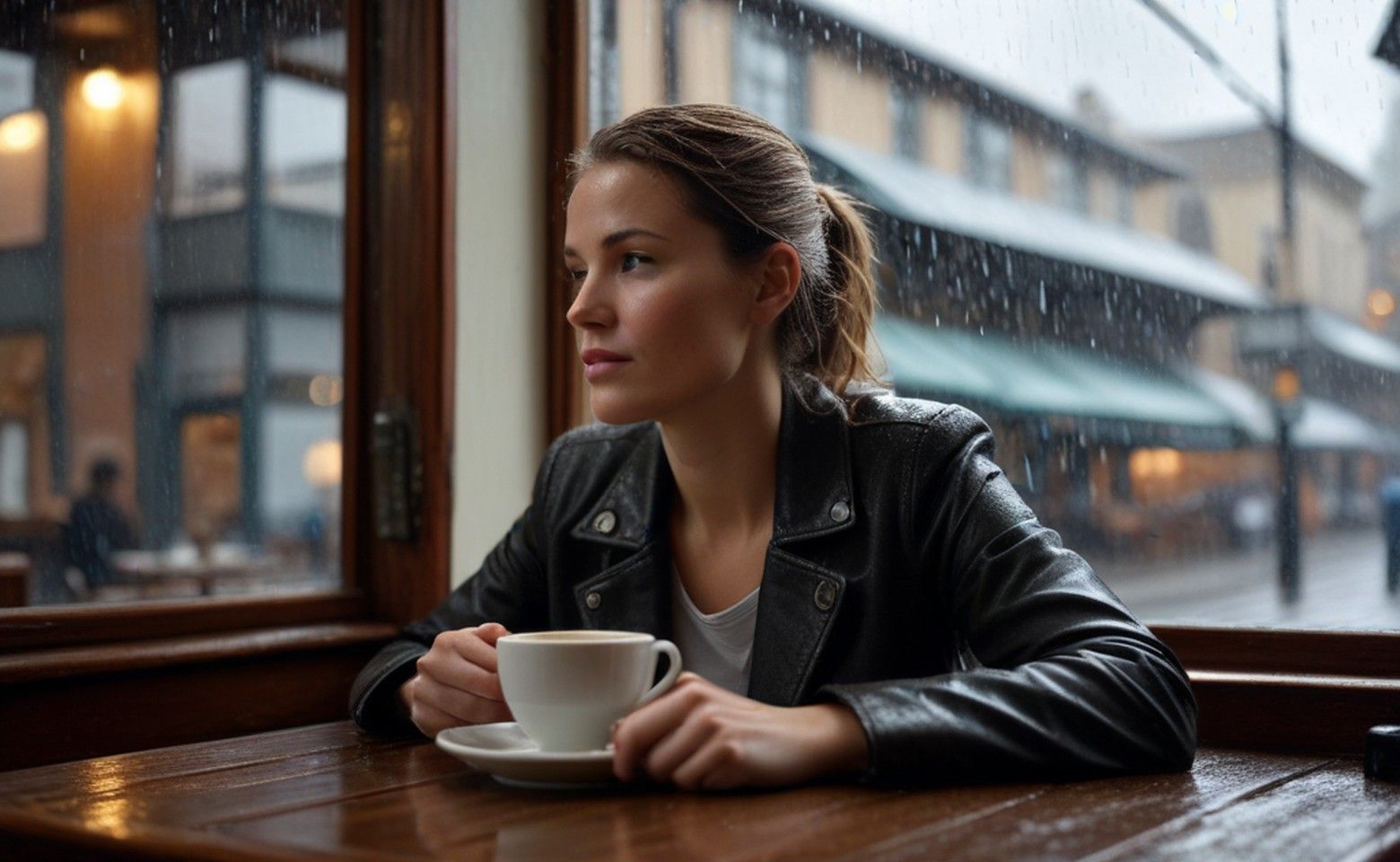
For the first clip, the prompt was:
The camera stays still. Rain moves softly outside the cafe window and steam rises from the cup. The woman sits quietly.
The opening stayed close to the source. By the middle, steam was clearly visible above the cup. At the end, the woman's head, eyes, and expression had shifted, along with details in the street.
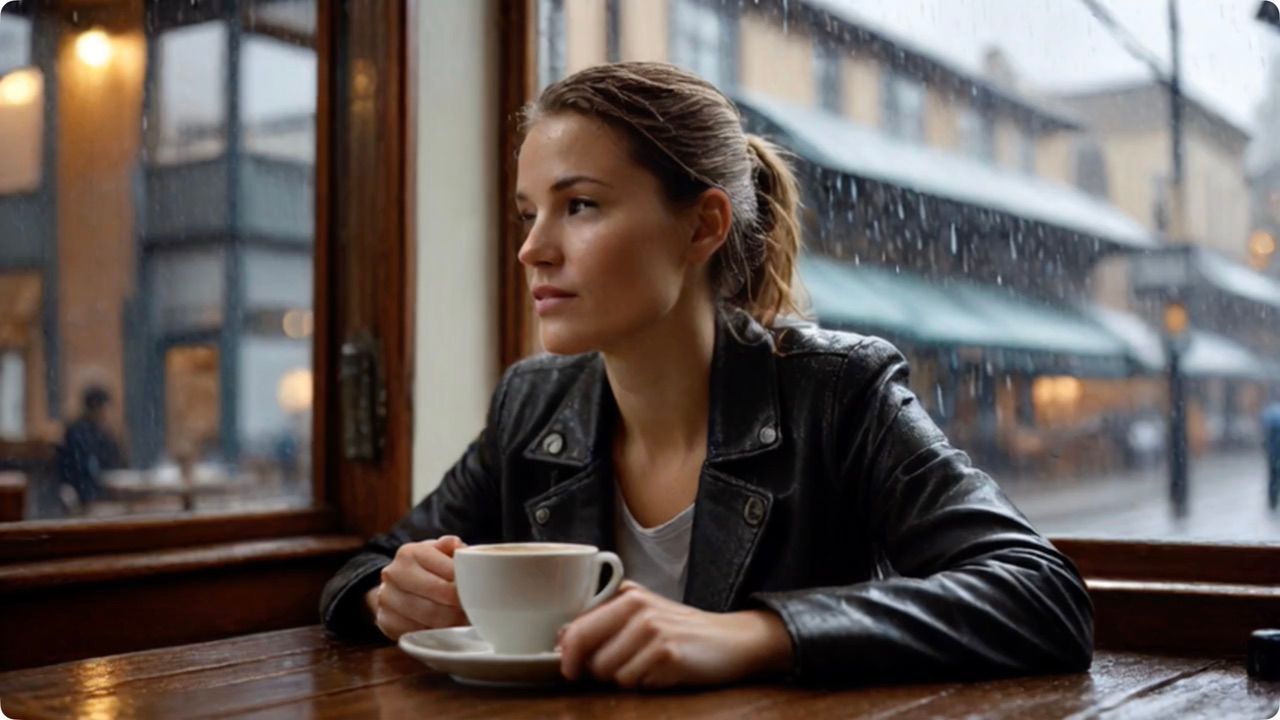
At the start, the face, cup, and street remain close to the source photo.
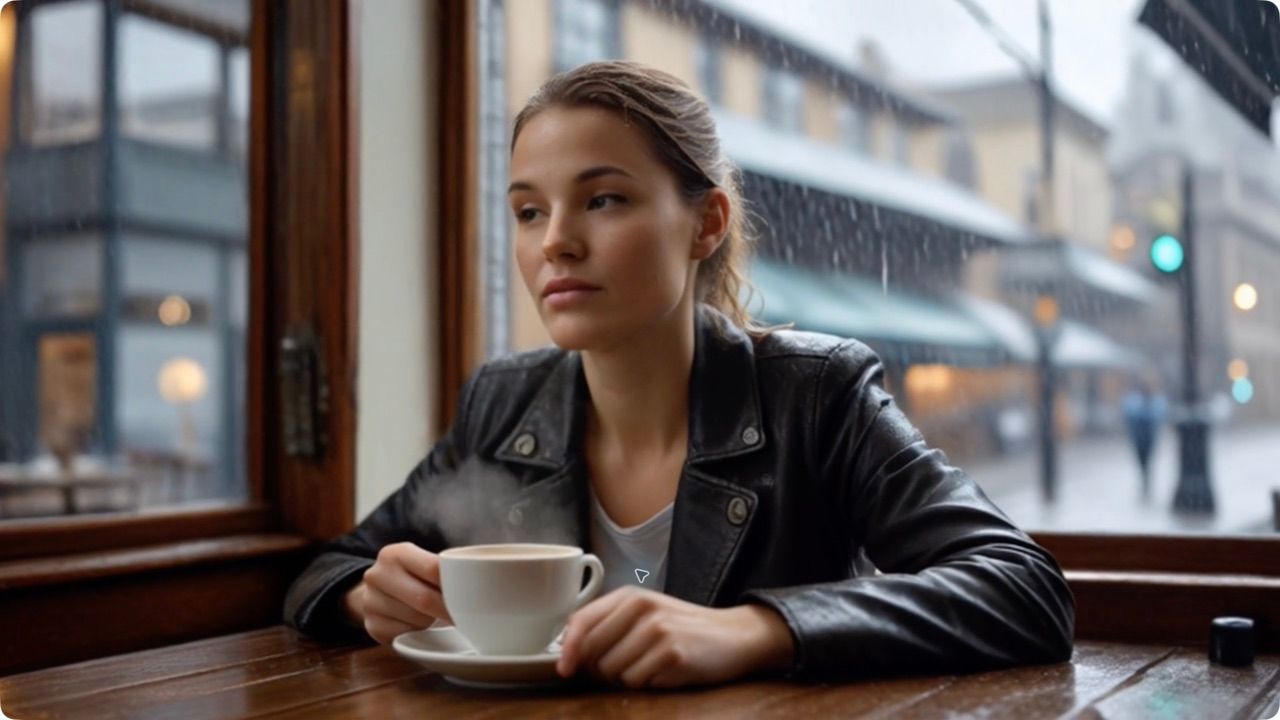
By the middle, steam is visible, but the face has already moved toward a more front-facing position.
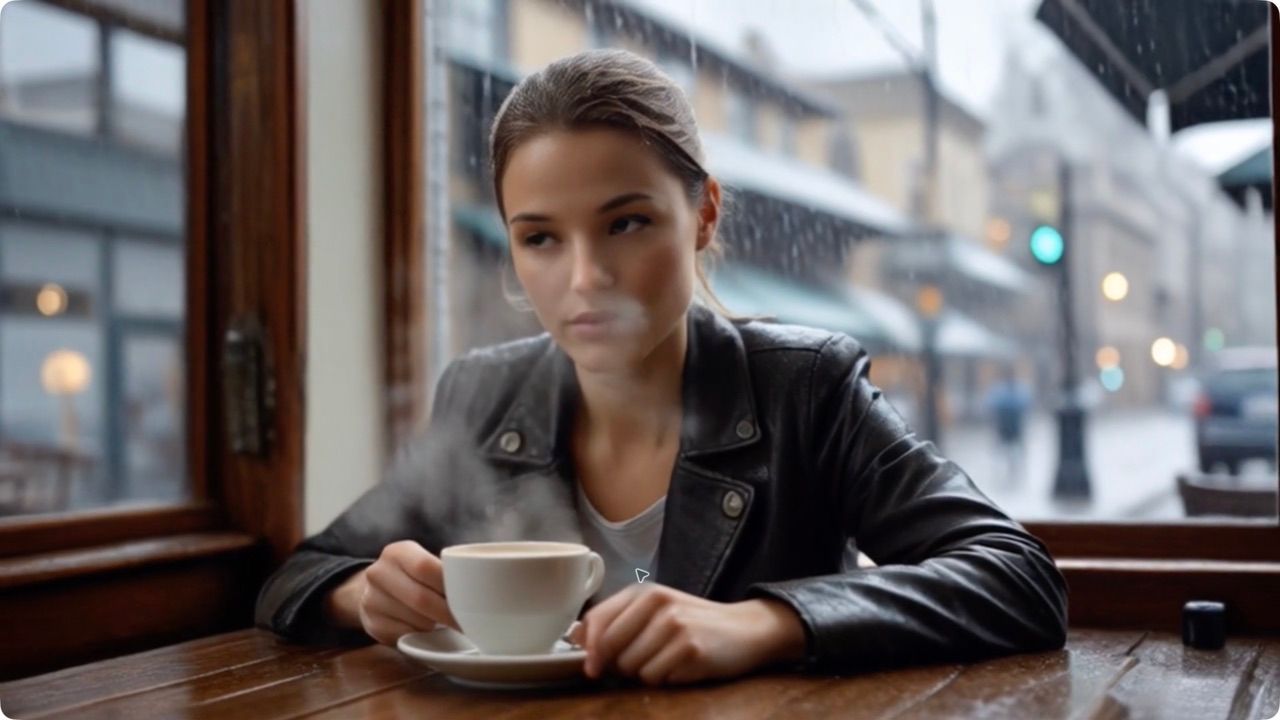
At the end, the expression and several background details differ from the opening frame.
For the second clip, we asked for one human action:
The camera stays still. The woman slowly turns her head toward the rainy window.
The head turn was clear from beginning to end. The shoulders, hands, cup, crop, and street also shifted. Showing a new facial angle required information that the source did not contain.
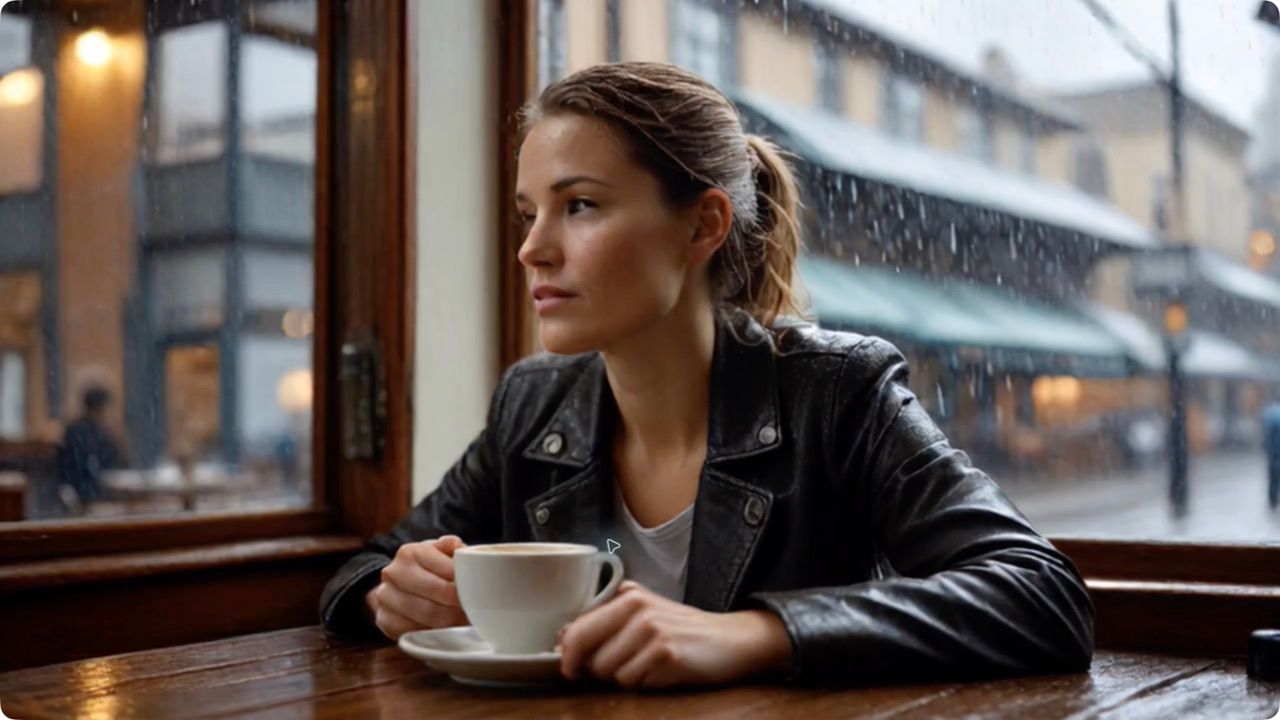
The opening keeps the original three-quarter facial angle and both hands near the cup.
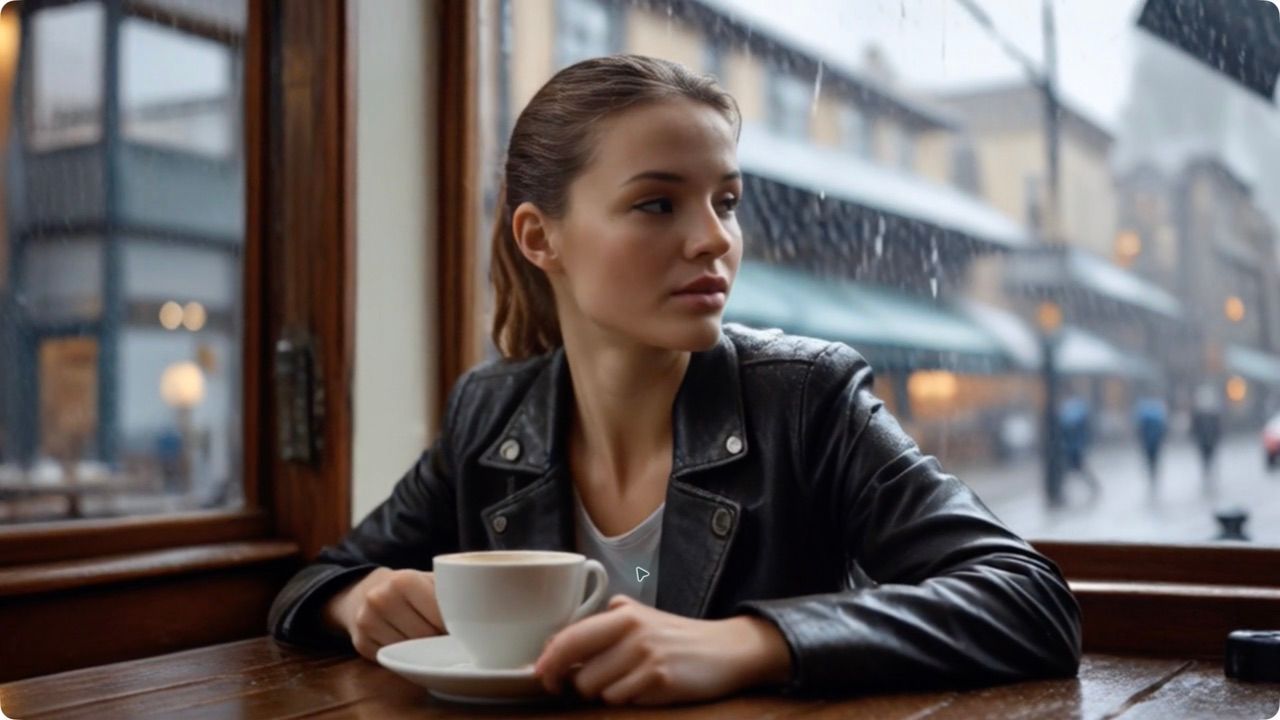
Halfway through, the turn is readable, while the shoulders and hands begin to shift with it.
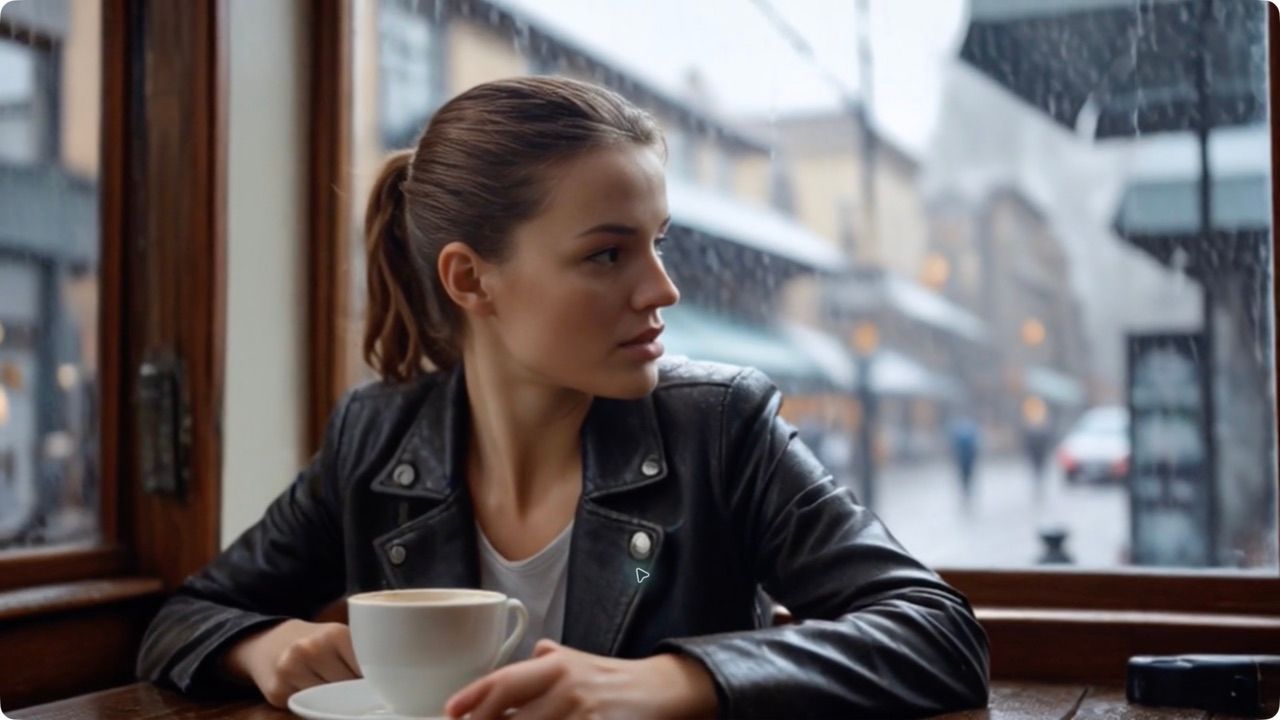
At the end, the new face angle is clear, but the cup, hands, crop, and street no longer match the opening exactly.
The camera version used this prompt:
The woman stays mostly still as the camera slowly pushes in a little. Rain continues outside the cafe window.
The first camera job used an Auto frame setting after the page refreshed, so we excluded it and generated a corrected 16:9 version. That clip was not downloaded and checked frame by frame, so we cannot honestly call it cleaner or worse.
The inspected clips show the practical issue: naming one moving part does not stop the generator from producing the rest of the frame. Watch the face, hands, objects, crop, and background through the full video.
Why Do Faces, Hands, and Backgrounds Still Change?
Faces change when motion reveals a new angle. An eye movement needs less missing information than a head turning from one side to the other.
Hands are small, flexible, and often overlap objects. A hand holding a cup may hide fingers while touching the handle and sleeve, so a small change becomes obvious.
Backgrounds change because movement alters the space between objects. A push-in changes scale and crop; a sideways move reveals covered areas. Match the amount of movement to what the source can support.
What Should You Change When the First Clip Looks Wrong?
If the face changes
Make the head movement smaller. A glance is less demanding than turning from one side to the other. Start with a clearer facial angle, or move the rain, light, or camera instead. Do not add more expressions for the model to invent.
If the hands or an object change
Check whether the fingers, object edges, and sleeves are easy to separate. If not, repair the image or choose a cleaner version. When the object is important, keep the hands still and move a reflection or the camera instead.
If the background drifts
Remove camera movement and test the main action with a still view. If atmosphere matters, request one local movement—rain on the glass or steam over the cup—instead of activating the entire setting. If the ending composition is fixed, use frame guidance to give the generator a visible destination.
If the result feels lifeless
Add one readable change: a head turn, slow push-in, steam, or moving light. Making everything move can make the result busy without making the moment clearer.
When Should You Use Image to Video, Frames to Video, or Character to Video?
Use Image to Video when you have one approved still and want a short, open-ended movement. With DomoAI V2.4 and V2.4.1, it supports five- or ten-second clips.
Use Frames to Video when the shot must begin and end with particular compositions, or when several visual beats matter. Seedance 2.0 uses a start and end frame. DomoAI 2.4.1 can use two to eight keyframes with prompts between segments.
Use Character to Video when a reference video already contains the dance, walk, or gesture you want. The performance drives the target character's movement instead of asking one still to invent it.
Choose from the material you have: one still, planned frames, or a reference performance. Do this before polishing a prompt for the wrong tool.
The Goal Is Not Maximum Movement
A successful photo animation needs enough movement for the viewer to understand the moment, without distracting changes elsewhere.
Start with one clean photo and one motion request. Watch the whole result, find the part that changed unnecessarily, and adjust that choice on the next attempt.
Frequently Asked Questions
Can AI animate a photo without changing the face?
It can keep the face close to the source, especially when the requested motion is small, but no prompt can guarantee an unchanged face. Use a clear source, avoid large head turns, and inspect the face through the full clip.
Why does my AI video look different from the original photo?
Video requires new angles and moments that the original photo did not show. The generator has to create those missing details. The larger the subject or camera movement, the more of the scene it may need to rebuild.
How long should an AI photo animation be?
Use only the time the action needs. A single glance, breath, or camera push can fit into a short clip. Longer clips are useful only when the shot contains a clear progression; extra duration can give unwanted changes more time to appear.
Should I move the person or the camera?
Move the person when their action is the point of the shot. Move the camera when the pose already works and you only need to direct attention. If identity must stay close to the source, a gentle camera move or background motion may require less new facial information than a large head turn.


