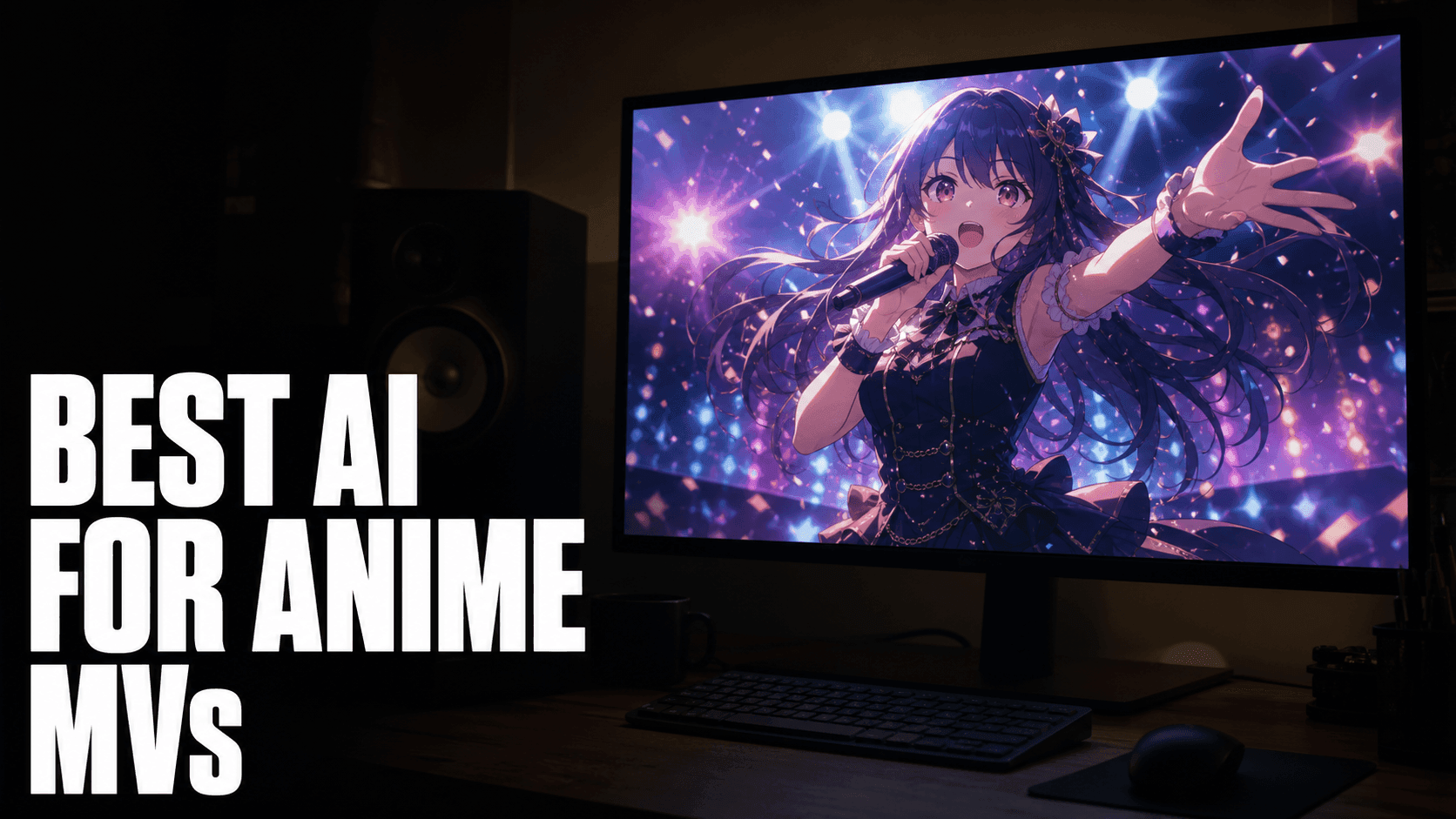
Most AI video roundups test for photorealism. That's the wrong benchmark if you're making anime music videos. Anime MVs need style fidelity, character consistency across shots, and motion that can sync to a track. DomoAI is built for that output. Runway, Kling, Luma, and Hailuo are not.
TL;DR
For anime MVs, DomoAI is the clear fit. It's the only tool here with dedicated anime model libraries, a character-locking workflow, and a lip sync feature that takes a real audio file. For photoreal or cinematic MVs — think live-action style, natural lighting, real-world motion — Runway or Kling will serve you better.
The decision comes down to four things: anime style fidelity, audio sync, character consistency across shots, and how much it costs to iterate when you're generating 30+ clips to build a 3-minute video.
| Tool | Anime Style Fidelity | Lip Sync | Character Consistency | Flat-Rate Pricing |
|---|---|---|---|---|
| DomoAI | ✓ | ✓ | ✓ | ✓ |
| Runway | ✗ | ✗ | ✗ | ✗ |
| Kling | ✗ | ✗ | ✗ | ✗ |
| Luma | ✗ | ✗ | ✗ | ✗ |
| Hailuo | ✗ | ✗ | ✗ | ✗ |
How We Evaluated These Tools for Anime MVs
Tool comparisons often collapse into spec sheets. This one didn't. We tested each tool against a consistent brief: generate an anime-style character in motion, designed for a music-synced output. Same brief, different tools. Here's what we were measuring.
Genuine anime aesthetics. The test wasn't "does it look stylized?" — painterly edges and muted tones aren't anime. We looked for clean line work, expressive character faces, flat cel shading where appropriate, and motion that reads like animation rather than footage. Most tools fail this test immediately.
Native lip sync or audio sync. For a singing character in an MV, lip sync isn't a nice-to-have — it's the feature that makes the sequence work. We checked whether each tool offers native audio-driven mouth animation. Only DomoAI passed.
Character consistency across 5+ separate clips. This is the hardest problem in AI video for MV production. An MV has the same character across dozens of shots. We tested whether each tool could produce the same face across five independently generated clips with no frame-to-frame continuity. Tools without a dedicated character-locking system cannot do this reliably.
Cost to produce one month of MV output. We estimated the cost of generating 50 clips on each tool's standard paid tier. Per-generation pricing runs $0.50–$1.50 per clip — that's $25–$75 for one MV's worth of clips, before retakes. Flat-rate unlimited pricing changes the economics significantly.
These four filters drove the ranking. Every tool listed here is good at what it's designed for. Only one is designed for anime MV production.
What Makes a Good Anime MV Generator
Before comparing tools, here's what actually matters for this use case.
1. Anime Style Fidelity
There's a difference between "stylized" and anime. Generic stylization gives you painterly edges and muted colors. Real anime fidelity means clean line work, expressive character faces, flat cel shading when appropriate, and motion that reads like animation — not live footage run through a filter.
2. Audio and Lip Sync Capability
An MV needs to feel tied to the music. Lip sync — where a character's mouth movements match a vocal track — is a distinct feature, not a given. Most tools don't offer it. For a singing sequence, this matters more than any other technical spec.
3. Character Consistency
This is the hardest problem in AI video for MVs. You need the same character — same face, same outfit, same style — to appear in every scene. Without a character-locking workflow, you'll get a different-looking character in every clip.
4. Cost to Iterate
A 3-minute anime MV might need 40–60 generated clips. At $0.50–$1.50 per clip, that adds up fast. Tools with unlimited generation modes or flat subscription pricing change the math significantly.
The Tools
DomoAI
DomoAI is built around anime and stylized content. That's not a marketing angle — it's where the model library is focused, where the tooling is deepest, and where the output holds up.
The Video to Video feature includes 20+ anime style models, from shounen action to soft shoujo to idol pop aesthetics. Seedance 2.0 (the Image to Video engine) handles cinematic motion: slow pushes, dynamic camera work, atmospheric movement.
The Talking Avatar feature is the only dedicated lip sync tool in this comparison. Upload a character image, attach an MP3, a Suno audio, or use the built-in text-to-speech, and it generates a clip where the character sings or speaks. Clips come in 5, 10, and 20-second durations on Standard; 30 and 60 seconds on Pro.
Nano Banana Pro & GPT Image 2 solves the character consistency problem. Upload 1–9 reference images of your character and the model locks in their face, outfit, and style. Output is 4K. Generated characters save to your Assets library so you can pull the same character into any subsequent scene without re-uploading references.
Emotion tags for Text to Speech. Match them to the mood of each section:
[Cheerful]— upbeat J-pop choruses, high-energy moments[Sad]— ballads, slow builds, emotional turning points[Neutral]— verses that need presence without a specific expression[Surprised]— key change moments, dramatic reveals
Pairing the right emotion tag with the right section of the track makes the lip sync feel intentional rather than mechanical.
Relax Mode on the Standard plan ($19.59/month) and Pro plan ($48.99/month) gives you unlimited eligible generations. For an MV requiring 50+ clips, that's a meaningful cost difference compared to pay-per-clip pricing.
Where it falls short: Background music must be added externally after export. DomoAI doesn't mix audio into the final video file — you'll stitch clips and add the track in CapCut, Premiere Pro, or any video editor.
Best fit for anime MVs: Yes.
Runway
Runway is one of the technically strongest AI video generators available. Gen-3 Alpha has excellent camera control, smooth motion, and reliable output at high resolutions.
When you prompt Runway for anime aesthetics, the model interprets the request as illustrated realism — softer lighting, slightly stylized proportions, a painterly quality — not true cel-shaded animation. Lines are soft where anime lines are clean. Shading is graduated where anime shading is flat. This is a model architecture decision, not a prompt problem.
There's no anime model library. Character consistency across shots requires significant prompting effort with no dedicated locking system. Lip sync is not a native feature.
Best fit for anime MVs: No. Use Runway when your MV is cinematic and photoreal, not when it needs to look like animation.
Kling AI
Kling produces some of the best motion realism available — fluid physics, accurate body movement, 1080p output. A dancer performing a routine looks physically grounded in Kling in a way that drifts in other tools. Limbs don't warp. Timing stays consistent.
The limitation: the output reads as realistic, not anime. If your reference frame is idol live footage rather than animation, that's actually correct. A K-pop-inspired MV designed to feel like live idol footage — stage performance, tight choreography, professional production grade — is a genuine fit for Kling.
No anime model library, no character-locking workflow for stylized characters, no lip sync for a vocal track.
Best fit for anime MVs: No. Kling is the right pick for live-action style MVs where real motion fidelity matters more than visual style.
Luma AI
Luma's Dream Machine produces fluid, natural video with strong environmental motion — water, fabric, atmospheric light. City establishing shots, rain on glass, light diffusing through fog — these atmospheric scenes are where Luma's output holds up.
Some creators building anime MVs use Luma for background plates and DomoAI for character shots, then composite the two. This hybrid approach lets you use each tool for what it's actually good at.
Not anime-first. Character consistency is not a solved problem. There's no lip sync feature.
Best fit for anime MVs: No. Better as a background plate tool in a composite workflow.
Hailuo (MiniMax)
Hailuo produces sharp, short cinematic clips with accurate physics and good motion detail. For quick cutaways in an MV edit — a burst of sparks, a flash of light, an energy effect — the quality-to-speed ratio is strong. Some editors use Hailuo specifically for visual effects beats: the moment the beat drops, the impact frame, the brief flash between scenes.
Hailuo is not for long sequences, character-driven scenes, or anything needing visual consistency across shots. Think of it as a source for short, sharp inserts — not a primary production tool.
No stylized character system, no lip sync for audio, no workflow designed around character reuse across clips.
Best fit for anime MVs: No.
How to Make an Anime Music Video in DomoAI
Step 1: Get your song
Start with a finished track. Suno is a natural pairing if you're generating the music too — export the final audio as an MP3 before you start generating video.
Step 2: Build and lock your character
Go to GPT Image 2, Upload reference images of your character — 5–9 is the target range. Include at least two angles: a front-facing shot and a slight three-quarter turn. Include at least one image showing your intended outfit.
Describe the character in the prompt: "anime idol, silver hair with twin tails, dark school uniform with red trim, large expressive eyes, soft cel-shaded style." Generate, refine, and save to Assets. This locked character is what you'll pull into every subsequent step.
Step 3: Generate scene backgrounds and stills
Use GEN Image to build atmospheric shots — cityscapes, concert stages, cherry blossom parks, neon-lit rooftops. Keep your aspect ratio consistent with your export target: 9:16 for vertical, 16:9 for widescreen. Generate more than you think you need.
Step 4: Animate the main scenes
Take your character stills into Image to Video with Seedance 2.0. Two example motion prompts:
- "anime idol, rooftop at dusk, neon city below, slow orbital camera move, hair catching wind, warm ambient light, cinematic depth of field"
- "anime character, concert stage, crowd in foreground, spotlight beam, dynamic zoom out, high-energy motion, dramatic lighting"
Aim for 5–8-second clips per shot. Generate 2–3 variations of each. For a 3-minute MV at approximately 24 cuts, plan to generate 35–40 clips total to have enough options.
Step 5: Create the singing sequence
Open Talking Avatar. Upload your locked character image and attach the audio — MP3, a Suno link, or TTS for spoken sections. Write an expression prompt: "eyes half-closed, slow head nod, emotional delivery, slight sway." Add the emotion tag that fits the section. On Standard, clips run up to 20 seconds. On Pro, up to 60 seconds per clip.
Step 6: Upscale your clips
Run your best clips through Video Upscaler to bring output up to 4K.
Step 6.5: Review for character consistency before final export
Before you export anything at full resolution, lay all clips on the timeline at low resolution first. Check that the main character's face looks like the same person in clip 1 and clip 35. Hair color consistent. Eye design consistent. Face shape consistent. If any clips have drifted — and some will — identify them now and regenerate before moving to full upscale.
Step 7: Assemble and mix audio
Take everything into CapCut, Premiere Pro, or DaVinci Resolve. Arrange clips to the timeline, sync the singing clip to the vocal track, and add the full background music. Audio mixing happens in your editor, not in DomoAI.
FAQ
What is the best AI video generator for anime music videos?
DomoAI. It's the only tool here with dedicated anime style models, a character-locking system, and a lip sync feature that works from an audio file.
Can AI match video motion to a song?
DomoAI's Talking Avatar syncs a character's lip and facial movement to an uploaded audio file — MP3, a Suno audio, or TTS. Beat-matched motion across a full video still requires manual editing in a video editor after export.
How do I keep one character consistent across multiple shots?
Use GPT Image 2 in DomoAI. Upload 5–9 reference images — at least two angles, at least one showing the intended outfit. Generate a locked version and save it to Assets. Pull that saved character into every subsequent generation.
Is DomoAI cheaper than other tools?
DomoAI's Standard plan is $19.59/month and Pro is $48.99/month, both with Relax Mode for unlimited eligible generations. For an MV needing 40–60 clips, flat-rate pricing matters more than the headline price. See DomoAI Pricing.
Can I make a free anime MV with AI?
DomoAI has a free tier for testing. Free credits are limited — you won't finish a full MV for free — but you can validate your character design and generate test clips before subscribing.
How many clips do I need for a 3-minute anime MV?
Plan to generate 35–50 clips minimum. A 3-minute video at an average of 5–8 seconds per usable clip needs 22–36 finished shots. Generate extra so you can cut bad takes and handle drift without re-running the whole project.
Try DomoAI free — no credit card required. Paid plans from $6.99/month billed yearly.