
Turn One Photo Into a TikTok Product Ad That Doesn't Warp

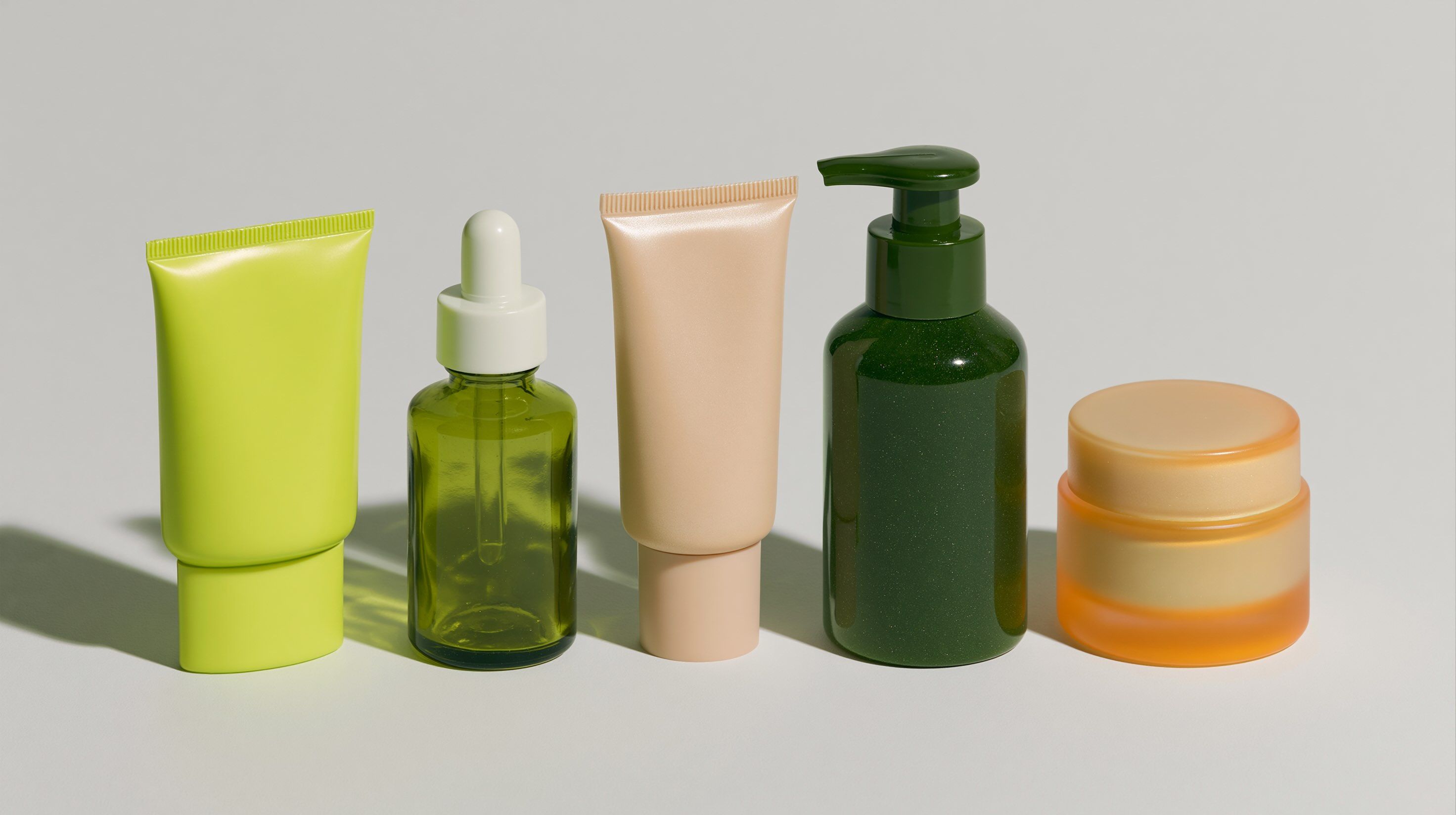
The label slides. The logo bends. The text on the box turns to gibberish halfway through the pan. That melting moment is what gives away most AI product ads, and it's the first thing a shopper notices.
It's avoidable. With DomoAI, a single product photo becomes a vertical TikTok ad where the SKU stays exact: same label, same logo, same packaging from the first frame to the last. The fix isn't a better animation prompt. It's a clean, locked source feeding Image to Video (Seedance 2.0), which adds controllable motion without redrawing your product.
Why the label melts in the first place
AI video models don't "know" your product. Every frame is generated, so the model re-guesses your packaging dozens of times across a clip. Small type, logos, and curved labels break first, because they carry the least visual information to anchor. Two things make it worse. A soft or low-resolution source gives the model little to work from. And aggressive camera motion asks it to redraw the label from an angle it never actually saw.
So the warp isn't random. It's the model improvising where your source was vague or your motion was too ambitious. Fix those two inputs and the melting mostly disappears.
Keep the label from warping
Warping starts in the source, not the motion. If the packaging is already crisp and stable before you animate, it holds through the shot. Lock it on two fronts.
Lock the source. Build or clean the product still with GPT Image 2 for sharp typography, accurate label text, and transparent backgrounds. It's the image model built for clean type and realism. For multi-angle or composited shots, use Nano Banana Pro 2 with up to 9 reference images at 4K, so the same SKU stays consistent across references. Both live inside AI Image Editing, so you can iterate on the still cheaply before spending anything on motion.
Lock the motion. Keep camera movement modest. Aggressive moves are where logos and small text distort most. A slow push-in or gentle rotate holds far better than a fast swing or a whip pan. The less the model has to re-imagine the label from an unseen angle, the more it stays exact.
Build the ad
1. Clean the source
Start with one sharp, well-lit, front-facing product photo, so the packaging is unambiguous before you add any motion. If the label text is soft or the background is busy, rebuild it in GPT Image 2. Aim for crisp type, true-to-pack colors, and a clean or transparent background. For a hero shot composited onto a scene, feed several angles into Nano Banana Pro 2 so the SKU reads identically from every reference.
2. Animate with restraint
Upload the clean still to Image to Video (Seedance 2.0). Write a motion prompt that names one modest move and the scene context, set the aspect ratio to 9:16, and generate. Restraint here is the whole game: a slow push-in keeps the label legible; a fast orbit invites the warp back.
3. Export vertical
Render the clip and export in 9:16, ready to drop straight into TikTok, Reels, or Shorts. The clips run short. For a longer spot, stitch a few takes together or use Frames to Video (1–56s) to sequence multiple shots.
A concrete example: stable push-in product ad
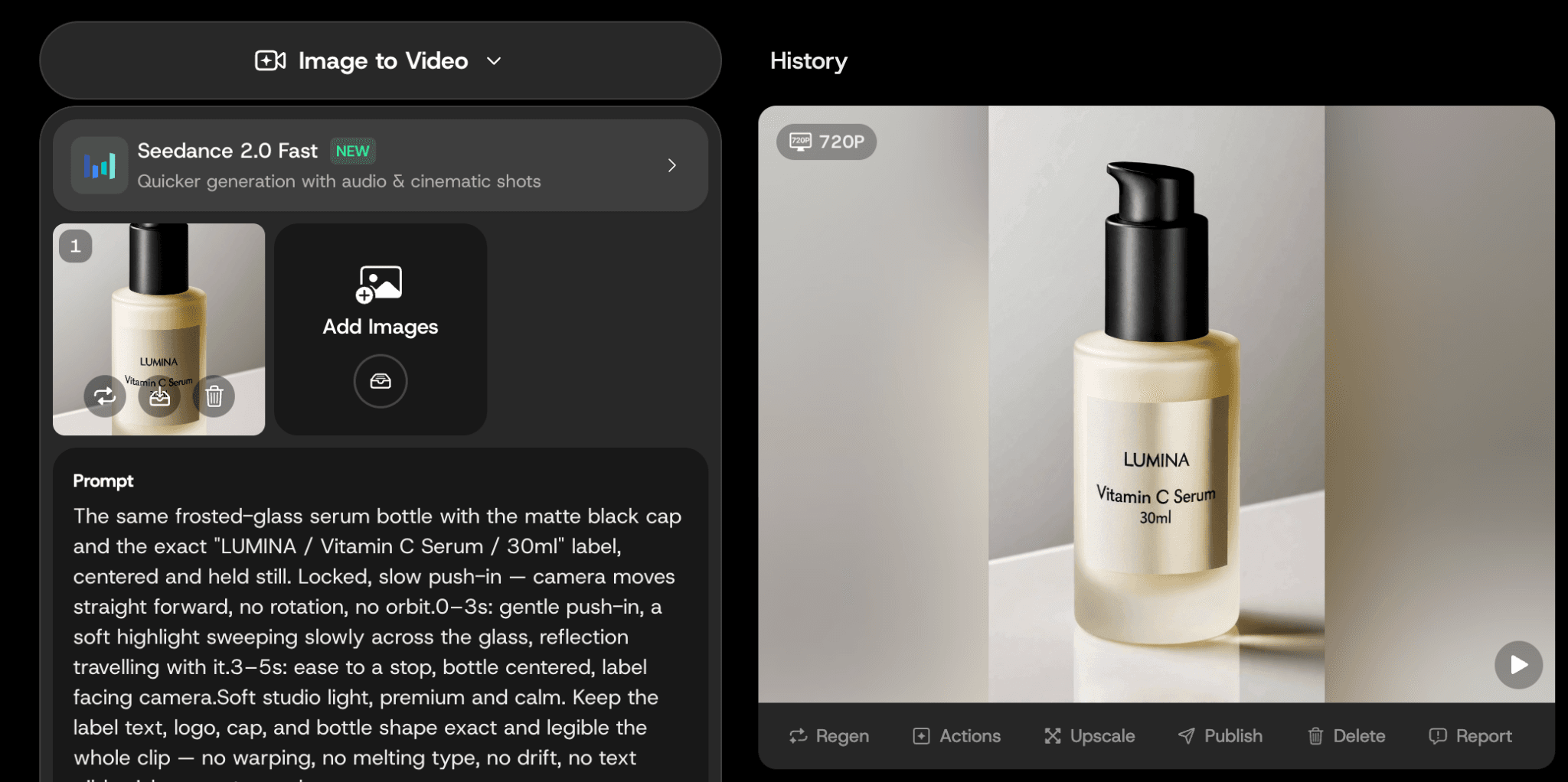
Here's a full recipe you can copy. Say you're animating a skincare serum bottle for a 9:16 TikTok ad.
Source shot (GPT Image 2):
Studio product photo of a frosted-glass skincare serum bottle, matte black pump cap, front-facing and centered. Label reads exactly "LUMINA / Vitamin C Serum / 30ml" in clean sans-serif — text sharp and fully legible. Soft top-down key light, one subtle reflection on a clean white surface, transparent background. Cream, frosted-white, and black palette. Photorealistic, sharp typography, 4K. Exactly 1 bottle, no other objects.
Motion prompt (Image to Video, Seedance 2.0):
Image to Video (Seedance 2.0) — 5s, 9:16. The same frosted-glass serum bottle with the matte black cap and the exact "LUMINA / Vitamin C Serum / 30ml" label, centered and held still. Locked, slow push-in — camera moves straight forward, no rotation, no orbit.
0–3s: gentle push-in, a soft highlight sweeping slowly across the glass, reflection travelling with it.
3–5s: ease to a stop, bottle centered, label facing camera.
Soft studio light, premium and calm. Keep the label text, logo, cap, and bottle shape exact and legible the whole clip — no warping, no melting type, no drift, no text gibberish, no watermark.
Settings:
- Aspect ratio: 9:16
- Motion: single move (push-in only), low intensity
- Run 3–4 variations on Relax Mode (Standard/Pro) so iteration costs no credits
The key is one move, one subject, label centered. The camera goes straight in, so the model never redraws the label from a side angle. That's exactly where text and logos break.
Pick the cleanest take
One render is rarely the one you ship. Generate a few variations from the same photo, then judge each on one test: is the label still readable, the logo still square, the text still real words? Zoom in on the last frame, where warp shows up most. Keep that take, discard the rest.
On Standard and Pro, Relax Mode runs these extra generations without spending credits — slower, but you can iterate freely until one holds clean. Once you've picked the winner, run it through Video Upscaler to take the final clip up to 4K before posting.
DomoAI vs Runway for product video
If you want maximum photoreal camera work and physically accurate motion, Runway and Kling are stronger on raw cinematic quality — that's their lane. DomoAI takes a different angle. Its image stack (GPT Image 2 and Nano Banana Pro 2) locks your label and packaging before you animate. Then cheap iteration through Relax Mode lets you run take after take until the SKU holds. For a small-business product ad, the one non-negotiable is usually "the label stays exact and I'm not burning budget per render." That mix tends to fit the job better than a pricier cinematic tool.
FAQ
Will my label, logo, and packaging stay accurate through the motion?
Yes, when the source is clean. Build it with GPT Image 2 or Nano Banana Pro 2, then animate with Image to Video (Seedance 2.0) using restrained motion. A stable source is what holds the product exact.
Can I use these ads commercially?
Yes. Output on paid plans carries full commercial rights and no watermark, so you can run the clips as paid TikTok, Reels, or Shorts ads. See pricing for plan details.
Can I make several ad variations from one photo?
Yes. Run multiple generations from the same product photo and pick the cleanest takes. On Standard and Pro, Relax Mode lets you iterate without spending credits.
What product photo gives the most stable result?
A high-resolution, front-facing shot with sharp lighting and a clearly legible label. The more readable the packaging in your source, the better it holds through the shot.
Can I export vertical 9:16 for TikTok and Reels?
Yes. Set the aspect ratio to 9:16 before you generate, then export the vertical clip straight into TikTok, Reels, or Shorts.
How long can the ad clip be?
The clips run short. Stitch several together for a longer ad, or use Frames to Video (1–56s) to build a multi-shot sequence.
Try it
Upload your product photo and generate a vertical ad where the SKU stays exact. Start with Image to Video in DomoAI. For a different scene built the same way, see our Sakura romance music video Make.