
Make Your Dog Sing Happy Birthday: AI Video in Under Two Minutes

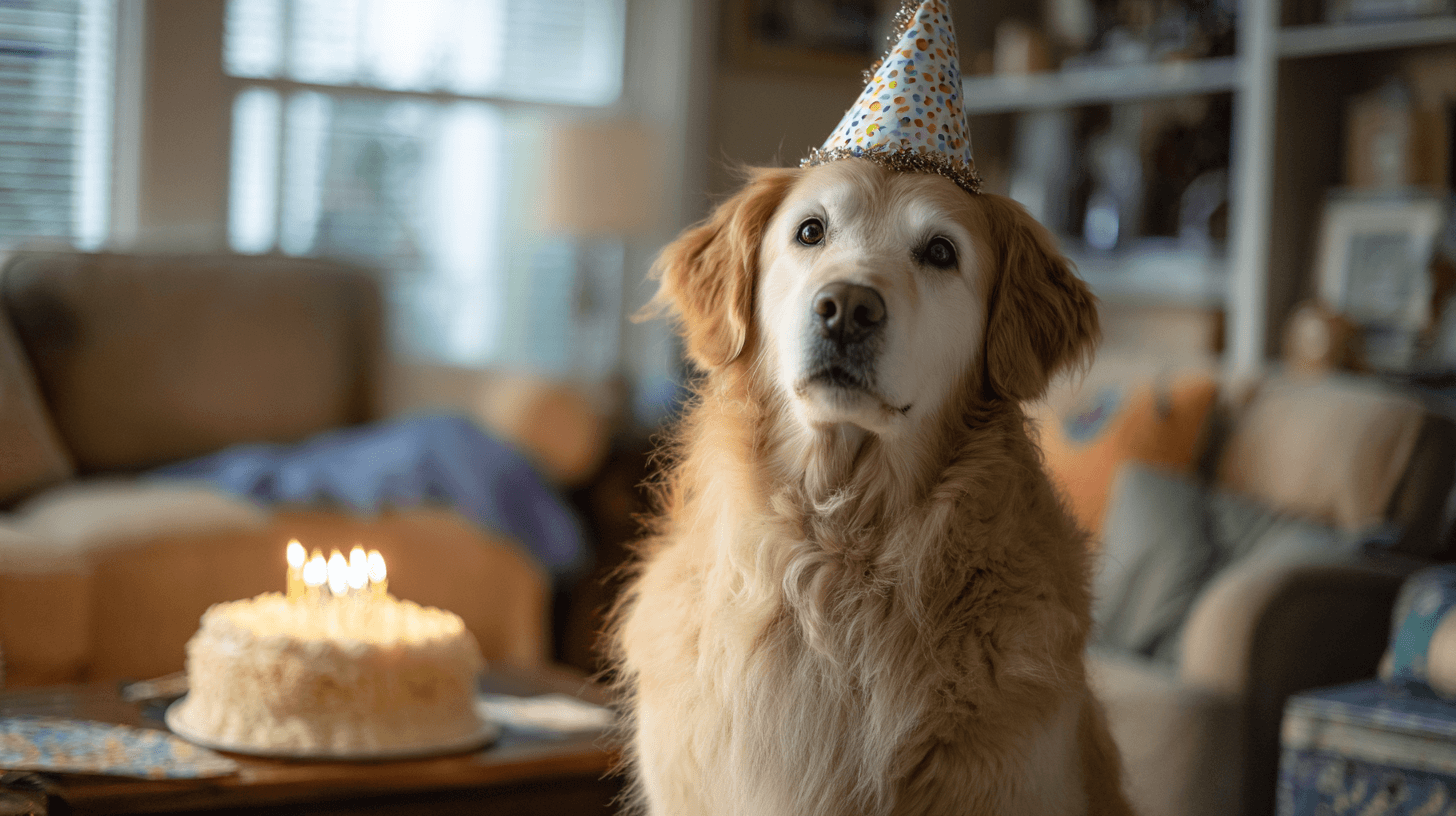
Make Your Dog Sing Happy Birthday: AI Video in Under Two Minutes
Upload a front-facing photo of your dog and a short birthday script to an AI Talking Avatar tool. The AI generates a lip-synced video of your dog "singing" happy birthday — no timeline, no keyframes, no editing skills required. Export as a vertical clip and text it straight to the birthday person.
Why This Works as a Birthday Surprise
A dog singing happy birthday hits harder than a generic e-card. The recipient sees their friend's actual pet delivering a personal message by name. It lands as funny, specific, and low-effort for the sender — three things a good birthday text needs.
The challenge has never been the idea. Most people stall on two questions: What should the dog say? and How do I make the mouth move? AI Talking Avatar tools solve the second question. This page solves the first.
Choose the Right Photo
Your source photo determines 80% of the output quality. Follow these rules:
Indoor photos with even lighting tend to outperform outdoor shots with harsh shadows.
Write Your Dog's Birthday Script
The script is the part most people skip — then they stare at a blank text box for ten minutes. Here are three ready-to-use scripts covering the most common birthday video tones. Swap the name and breed details to fit yours.
Script 1 — The Classic Singer (warm, silly)
"Happy birthday to you. Happy birthday to you. Happy birthday dear Sarah. I love you more than treats. Almost."
Voice match: Warm, mid-pitch male or female voice. Works well with golden retrievers, labs, and other friendly-face breeds.
Script 2 — The Deadpan Announcement (dry, flat)
"It is your birthday. I have been informed. You will receive one additional belly rub. That is all. Do not expect cake. I already ate it."
Voice match: Low, flat monotone. Pairs well with bulldogs, basset hounds, or any dog that looks permanently unimpressed.
Script 3 — The Overexcited Greeting (fast, high energy)
"OH MY GOSH IT'S YOUR BIRTHDAY! This is the best day! After yesterday! And the day before that! Every day is the best day! HAPPY BIRTHDAY!"
Voice match: Fast, high-pitched, slightly breathless. Built for huskies, border collies, spaniels — any breed that radiates chaos.
Keep your script under 15 seconds of spoken audio. Short videos get watched all the way through. Long ones get skipped.
Step-by-Step Workflow
The full process takes under two minutes from upload to export. No keyframes. No manual mouth-syncing. No video editing timeline.
Tips for a Better Result
Frequently Asked Questions
Can I make my dog sing happy birthday from just one photo?
Yes. AI Talking Avatar tools need only a single front-facing photo. The AI generates all mouth movement, blinks, and head motion from that one image. No video footage of your dog is required.
Do I need to record my own voice?
No. DomoAI includes a built-in Text to Speech panel. Type your script, pick a voice from the library, and the platform generates the audio file for you. You can also upload a pre-recorded voiceover if you prefer.
What kind of pet photo works best?
A front-facing shot with the mouth closed or slightly open, both eyes visible, and no objects blocking the lower face. Good lighting and a tight crop around the head produce the cleanest animation.
Will the video look creepy or obviously fake?
The biggest factor is your source photo. A well-lit, high-resolution, front-facing image with a closed mouth produces natural-looking results. A blurry photo with a tongue hanging out will look strange. Start with a good photo and the output holds up.
How long can a talking pet video be?
DomoAI's Talking Avatar supports clips up to 30 seconds on the Pro plan. For a birthday message, 5–15 seconds is the sweet spot — long enough to deliver the joke, short enough to hold attention.
Can I use this with a cat, parrot, or other animal?
Yes. The Talking Avatar feature works with any front-facing image — cats, parrots, hamsters, even stuffed animals. The same photo rules apply: clear face, visible mouth area, good lighting.
How DomoAI Compares for Talking Pet Videos
My Talking Pet is the most recognized app in this space, but it locks saving and sharing behind a paywall that appears after you create the video — not before. Users on RunwayML report that talking-animal output often looks unnatural. DomoAI generates both the voice and the lip-synced animation in a single workflow. You type the script, pick the voice, upload the photo, and export the finished video — all inside one tool. No surprise paywalls, no jumping between apps, and the video reaches the birthday person before the moment passes.
Make your dog sing happy birthday →